

Talk

AI knowledge base for customer replies

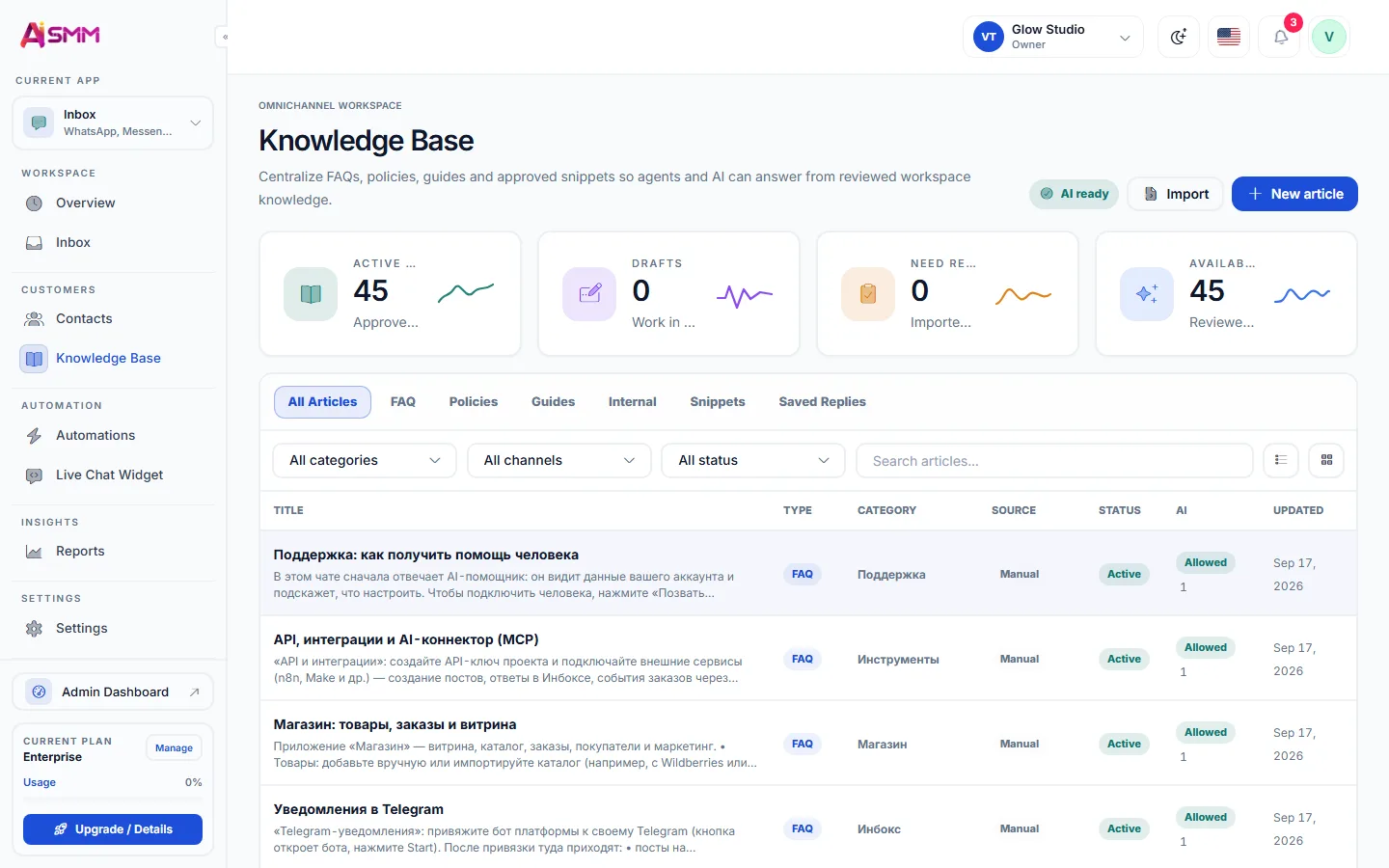
Keep prices, services and FAQs in one knowledge base. Let AI prepare replies from your materials, with channel access and review settings you control.

Opens registration in the AI SMM app. Choose your tools after signing up. Plans and limits

AI SMMAI prepares. You decide.
AI knowledge base for customer replies
Illustration of the workflow · availability depends on your connections and plan
Sound familiar?

What gets in the way today
and how AI SMM removes it

Only you know the answers

Prices, terms and exceptions live in your head, so every question waits for you.

With AI SMM: Put prices, services, delivery terms and policies in the knowledge base once. AI answers from them in your tone.

Old prices in new answers

You raised prices, but staff and templates still quote last year’s list.

With AI SMM: Update prices and policies in the shared knowledge base, then review AI replies in connected channels.

Afraid the bot will make things up

One wrong promise from a chatbot, and you are refunding an angry client.

With AI SMM: Answers are grounded in your materials. You choose where AI replies on its own, and unsure cases go to a person.

One place for the answers

Keep prices, services, delivery terms and policies in the knowledge base. After updates, check how AI uses the materials in replies.

One place for the answers

Replies in the inbox and in flows

AI suggests or sends answers in the inbox and inside chat flows, and hands the conversation to a person when it is not sure.

Replies in the inbox and in flows

Fill it in minutes, decide what AI may use

Import a page from your website, upload a file or save a solved conversation as an article. Each article can be open or closed to AI and limited to certain channels.

  • FAQ, policies, guides, snippets and saved replies
  • Each project keeps its own base
Fill it in minutes, decide what AI may use
Without AI SMM
  • The same price question answered by hand, every night
  • A price change forgotten in one of the channels
  • A new team member repeating old, wrong answers
  • AI answering questions with no source to check
With AI SMM
  • AI answers instantly from your own prices and policies
  • One update in the knowledge base changes every answer
  • New team members see the same source everyone else uses
  • Every AI answer is grounded in materials you actually wrote

How businesses use it

Beauty salon

Replies to common questions from your materials

A question about prices at eleven at night gets answered from the knowledge base instead of waiting for the salon to open.

Online seller

Delivery and returns explained the same way every time

A shared delivery and returns reference helps staff and AI use the same materials. Check replies for accuracy and current terms.

Local business

One source of truth for a small team

A team of two keeps prices and hours in one place, so neither of them has to remember what the other already told a customer.

Who uses it

What an AI knowledge base is for customer chats

An AI knowledge base is a collection of the business’s own materials, prices, services, delivery terms, policies and frequent answers, that AI reads before replying to a customer. It is different from a general AI chatbot that answers from anything it was trained on: here the source is limited to what the business itself put in, so the answer matches reality.

Deciding where AI should answer and where a person should

Not every channel needs the same level of automation. A business can let AI send replies on its own in the website chat, where questions are usually simple, and keep WhatsApp as draft-only, where a person reviews before sending. This choice is set per channel in the inbox, not all or nothing.

Keeping prices and policies in one place instead of five

A shared knowledge base helps keep current prices and rules in one place. Review replies in connected channels after changes: AI can make mistakes even when the source materials are correct.

What happens when a question is outside the knowledge base

When a question needs a judgment call, a refund exception, a custom order, a complaint, the conversation moves to a team member instead of AI guessing. Nothing about the exchange is lost: it stays in the contact’s history together with everything answered automatically before it.
Learn

Guides and lessons
to get results faster

All articles and tutorials

Questions

What can I put in the knowledge base?

Texts, price lists, FAQ and policies: anything customers usually ask about.

Will AI make things up?

Answers are grounded in your materials, and you choose whether AI sends replies itself or only drafts them.

Can the knowledge base be different for each company in my account?

Yes, each company keeps its own knowledge base, which matters for an agency running several clients.

How do I know which answers came from AI and which from a person?

The inbox marks AI-sent and AI-drafted messages, so the conversation history shows who answered what.

Can I update the knowledge base from a phone?

Yes, edits are saved from any device and apply to new questions right away.

Your first steps

Start with one task.

You do not need to set up everything at once. Choose a workflow, check the requirements and prepare your first result.

  1. Choose a task

    Plan content, organise conversations or prepare a booking page. Start with what you need now.

  2. Set up your context

    Add your business information and connect the accounts needed for that workflow. Check access and plan limits.

  3. Review before launch

    Check the draft, settings and customer journey before publishing or enabling an automation.

Opens registration in the AI SMM app. Choose your tools after signing up.

Feature availability, AI usage and account limits depend on the chosen plan. Review the terms before connecting a paid service.