

AI SMM

Online appointments and patient enquiries for medical clinics

Organise doctor appointments and answers about prices and opening hours from approved materials. Prepare educational posts for review by a qualified specialist.

Opens registration in the AI SMM app. Choose your tools after signing up. Plans and limits

Your workflow, connectedAI SMM
  1. Online booking

    Doctor schedules, services and a booking page.

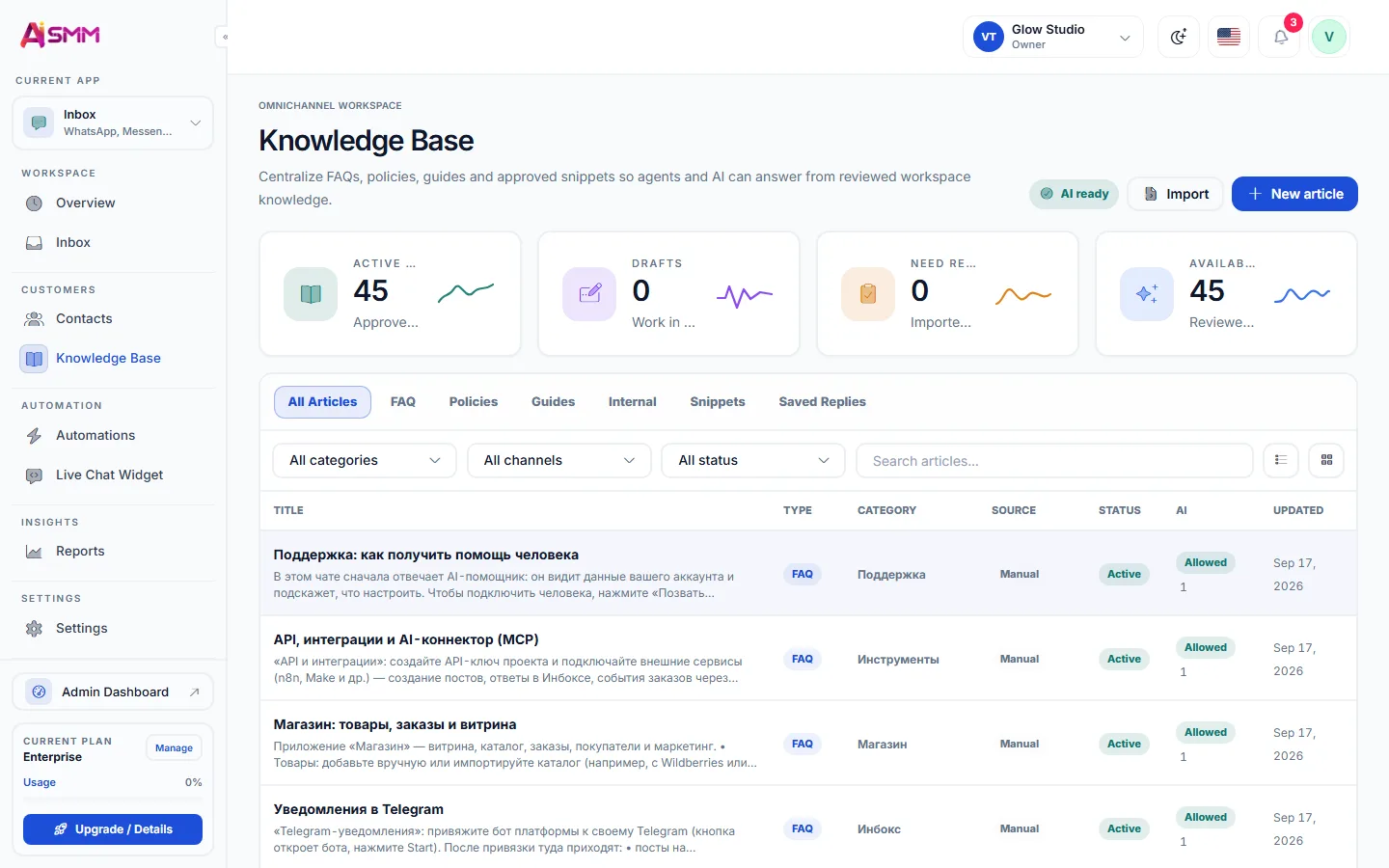
  2. AI knowledge base

    Prices, hours and notes you wrote and approved.

  3. Inbox

    Website chat, WhatsApp and Instagram in one queue.

One possible setup. Choose only the tools your business needs.
Sound familiar?

What gets in the way today
and how AI SMM removes it

Reception is always on the phone

Price and hours questions block the line for patients who need a real conversation.

With AI SMM: AI answers routine questions from your approved list, and a person handles the rest.

Posting feels risky

One careless post about a procedure can break advertising rules or mislead patients.

With AI SMM: Every post waits for a doctor’s approval in Telegram. Nothing goes out without a yes.

Empty slots from forgotten visits

A patient forgets, and the doctor’s hour is lost.

With AI SMM: Reminders go out before the appointment, and the waiting list can take a freed slot.

An example day, not a forecast

Illustrative scenario. Results depend on your setup, content and customer demand.

  1. 08:00AI answered night questions about prices and opening hours, and two patients booked a consultation.
  2. 11:00An educational post about a check-up goes out after the doctor approved it in Telegram.
  3. 15:00In the website chat AI only drafts replies; the administrator checks each one before it is sent.
  4. 19:00Tomorrow’s patients get a reminder about their appointment.

Your kit

Answers only from your materials
The booking page on a phone
Without AI SMM
  • Reception answers the same price question twenty times a day
  • A patient messages in the evening and books elsewhere by morning
  • Posts appear when a doctor finds a free minute
  • Nobody checks what goes out under the clinic’s name
  • Forgotten appointments leave gaps in the doctor’s day
With AI SMM
  • AI answers prices and hours from the clinic’s own approved list
  • The booking page is open at night, with the doctor and time chosen by the patient
  • A month of educational posts is planned in one calendar
  • Every post waits for approval before it is published
  • A reminder goes out before the visit

How businesses use it

Dental clinic

An evening question becomes a morning appointment

Say, a patient asks at 10 p.m. how much a professional cleaning costs. AI answers from the clinic’s price list and sends the booking page, so the reception starts the day with a confirmed appointment rather than a missed message.

Physiotherapy practice

Educational posts that a specialist signs off

AI drafts a month of posts about posture and recovery exercises from the practice’s brief. The physiotherapist approves or edits each one in Telegram before it goes out.

Multi-specialty clinic

One inbox instead of four phones

Messages from the website chat, WhatsApp and Instagram arrive in one queue and are assigned to administrators. AI handles hours and prices, and anything about treatment goes to a person.

Social media for a clinic: inform, don’t promise

Health advertising is regulated in most countries, and the rules differ: some restrict before/after photos, patient testimonials or claims about results. Check your local rules before launching, and keep posts educational: how a check-up works, when to see a specialist, what a procedure involves.

In the content calendar every post can wait for a doctor’s approval in Telegram, so nothing is published without a specialist’s yes.

Online booking by doctor and service

The booking page shows services with duration and price and each doctor’s free windows. Patients book without calling, confirmations and reminders go out on their own, and the waiting list can take a freed slot.

What AI should and shouldn’t answer

  • Yes: prices, opening hours, address, which doctor sees what, how to book.
  • Only from your texts: preparation notes the clinic has written and approved.
  • No: symptoms, diagnoses and treatment. Keep them out of the knowledge base and let a person reply.

In the AI knowledge base you choose per channel whether AI sends replies or only drafts them, and it hands the conversation to a person when it is not sure.

Being found by patients nearby

People search before they call: “how much is an MRI”, “when to see an orthopedist”. The SEO module suggests article topics with real search demand; AI drafts them, and a doctor reviews the text before it goes to the website.

Patient data in chats

Messengers are convenient for booking questions, but not for medical details. Ask patients not to send test results or diagnoses in chats, and check your local data protection rules for how long you keep conversations.

Questions

Can patients book a specific doctor online?

Yes, each doctor has their own schedule and services, and patients choose the doctor and time on the booking page.

Will AI give medical advice?

It should not. AI answers only from materials you add, so keep diagnoses and treatment out of them and let a person answer such questions.

Can AI only draft replies instead of sending them?

Yes, you choose per channel whether AI sends answers itself or only drafts them for an administrator.

Does AI SMM check posts against health advertising rules?

No. Rules differ by country, so check your local requirements and use post approval so a responsible person signs off every post.

Can a doctor approve posts from a phone?

Yes, the post arrives in a Telegram bot, where it can be approved, edited or rejected in one tap.

Which chats can patients write to?

The inbox collects the website chat, WhatsApp, Telegram, email and several social networks, including Instagram and Facebook.

Your first steps

Start with one task.

You do not need to set up everything at once. Choose a workflow, check the requirements and prepare your first result.

  1. Choose a task

    Plan content, organise conversations or prepare a booking page. Start with what you need now.

  2. Set up your context

    Add your business information and connect the accounts needed for that workflow. Check access and plan limits.

  3. Review before launch

    Check the draft, settings and customer journey before publishing or enabling an automation.

Opens registration in the AI SMM app. Choose your tools after signing up.

Feature availability, AI usage and account limits depend on the chosen plan. Review the terms before connecting a paid service.