AI SMM for YouTube

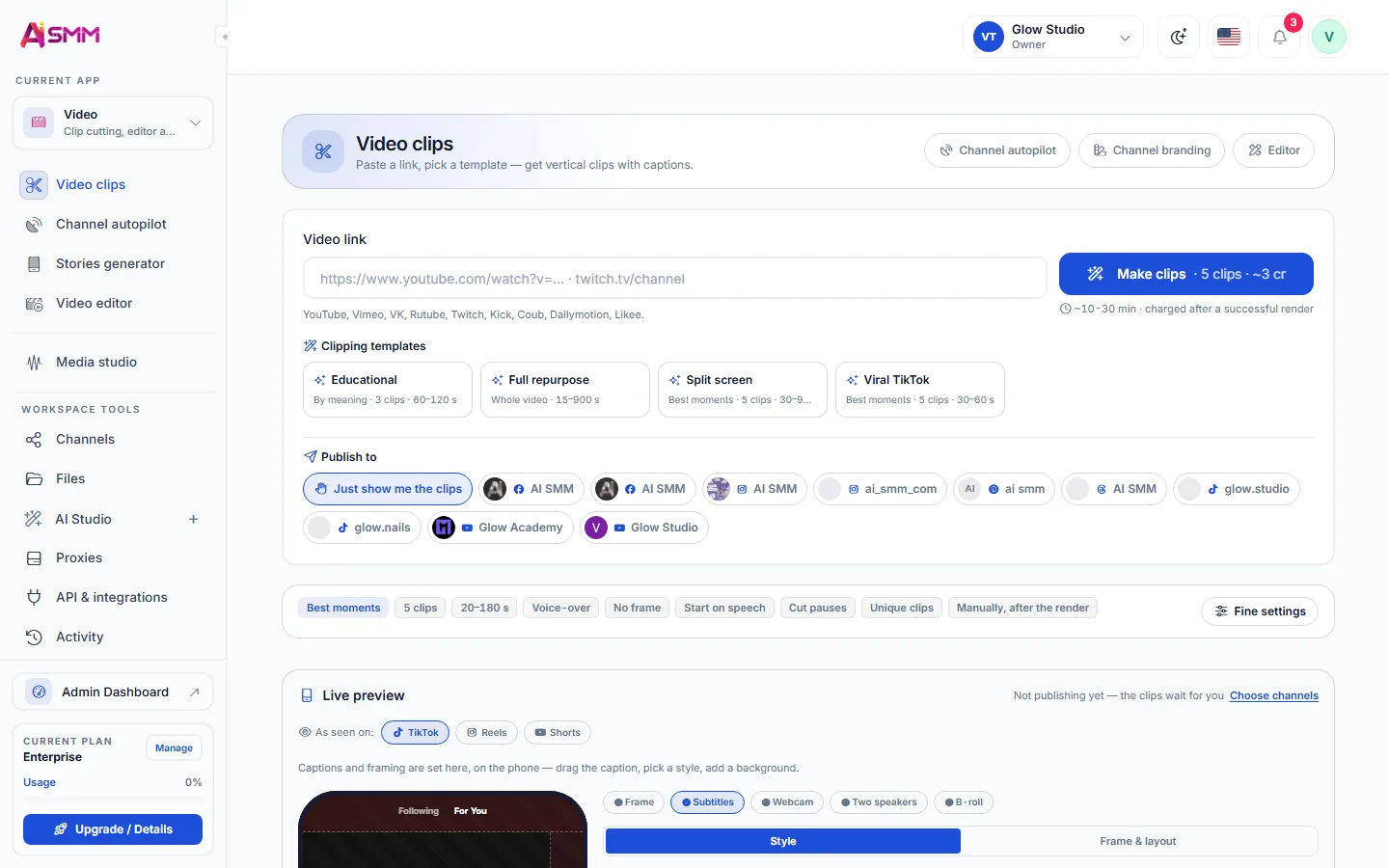
Upload videos on schedule, cut them into shorts for other networks and answer comments in the inbox.

AI SMM for YouTube

What you can do in YouTube

Publishing

  • Video uploads
  • Titles and descriptions from AI
Read more

Analytics

  • Subscribers and views
  • Engagement per video
Read more

Chats and automation

  • Comments in the inbox
Read more
Sound familiar?

What gets in the way today
and how AI SMM removes it

One long video, then silence

One upload a month, and nothing in between to keep viewers around.

With AI SMM: Cut each video into clips for Shorts, Reels and TikTok and schedule them for the weeks between uploads.

Titles and descriptions hold you up

The video is ready, but the title and description delay the upload.

With AI SMM: AI writes titles and descriptions, and the video uploads on schedule.

Comments left without an answer

Viewers ask questions under older videos, and nobody replies.

With AI SMM: YouTube comments come into the inbox, next to chats from your other channels.

How it works

  1. 01Connect your YouTube channelLink the channel once to schedule uploads from the same calendar as your other networks.
  2. 02Create with AIGenerate a title, description and cut short clips from a longer video with AI.
  3. 03Schedule the uploadPlace the video on the calendar and it publishes automatically at the planned time.
  4. 04Answer commentsComments land in the shared inbox alongside your other channels.

Get more from every YouTube video

Connect your channel and turn the latest video into clips for other networks.

Start free 7 days free on paid plans · Free plan forever

How businesses use it

Home renovation contractor

One project video, a full week of clips

A full walkthrough of a finished project is uploaded to YouTube and cut into shorter clips that feed TikTok and Instagram for the following week.

Cooking channel for a small catering business

Titles and descriptions that stop being a chore

AI drafts a title and description for each recipe video from the script, so upload day is about the video, not about wording.

Local repair shop

A comment question answered without opening YouTube

A question about a repair cost under a tutorial video is answered from the shared inbox the same day it arrives.

How to schedule YouTube uploads in advance

A YouTube upload is one video per post, so scheduling means preparing the file, the title and the description ahead of time and letting the platform publish it at a set date. Placing YouTube on the same calendar as other networks keeps a video launch coordinated with the shorter clips that will follow it elsewhere.

Writing YouTube titles and descriptions with AI

AI Content Studio drafts a title and description from a script, a transcript or a short brief, which saves the part of uploading that most channels put off. A clear, specific title matters for a small business channel because it tells a potential customer what the video actually solves, not just that a video exists.

Turning one video into clips for other networks

Video clipping cuts a longer YouTube upload into short clips for TikTok, Instagram Reels and YouTube Shorts, so filming once produces a week of content across networks instead of a single upload. This matters most for service businesses that film demonstrations, tutorials or project walkthroughs.

Answering YouTube comments from a shared inbox

Comments on YouTube videos arrive in the same inbox as your other channels, so a question about a video does not require opening YouTube separately to notice it. For channels that pair videos with a knowledge base, AI can draft a reply from that base before a person sends it.
Pricing

All apps in every plan.
Pay only for scale.

Compare all plans, including Enterprise

Also in one calendar

Questions

Can I schedule a YouTube Shorts video separately from a long video?

Yes, a Shorts clip is uploaded as its own post and can be scheduled independently of the long video it came from.

Does YouTube analytics include watch time?

Analytics covers subscribers, views and engagement per video; check the analytics page for the exact metrics tracked.

Can AI write a video script, not just the title?

AI Content Studio can draft a script from a brief, which you then film; it is not limited to titles and descriptions.

Is it safe to connect my account?

Yes. Accounts are connected through the network’s official sign-in, and you can disconnect them at any time.

Can I post to several networks at once?

Yes. One post goes to all selected networks, and AI adapts the text to each one’s limits.

Stop paying for ten tools.
Start with one.