
Sell

Link in bio page for your links, products and enquiries

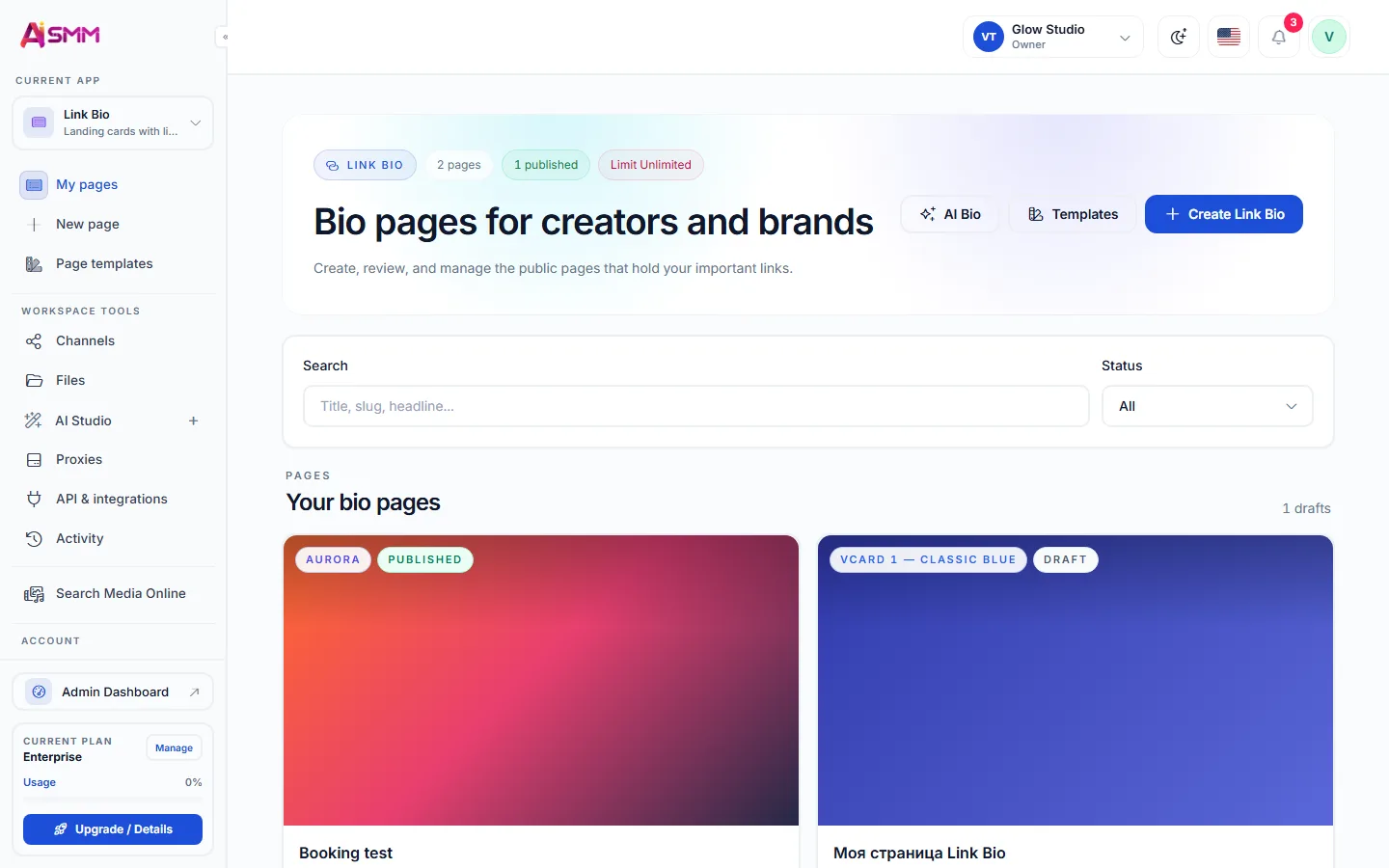
Put links, prices, products and an enquiry form on one page. Choose a template, draft your copy with AI and add the link to your profiles.

Opens registration in the AI SMM app. Choose your tools after signing up. Plans and limits

AI SMMAI prepares. You decide.
Link in bio page for your links, products and enquiries
Illustration of the workflow · availability depends on your connections and plan
Sound familiar?

What gets in the way today
and how AI SMM removes it

One link, too many places

Store, booking, WhatsApp, price list: the bio allows one link, and people get lost.

With AI SMM: Put links, contacts, forms and products on one page and use that single link in every profile.

Visitors look, then leave

People tap the link, scroll and go without leaving a contact.

With AI SMM: Forms on the page send leads straight to your contacts and can start a chat flow.

Writing about yourself is hard

The “about” text has been “coming soon” for months.

With AI SMM: Pick a template, and AI writes the text from your brand profile.

Templates and AI copy

Choose a template, add links, contacts and buttons. AI writes the bio from your brand profile.

Templates and AI copy

Leads go straight to contacts

Forms on the page send leads to your contacts and can start a chat flow.

Leads go straight to contacts
Without AI SMM
  • A different link for every platform, none of them selling anything
  • An “about me” text nobody has time to write well
  • Leads from a form landing in an inbox nobody checks
  • A bio link that has not changed in a year
With AI SMM
  • One page for links, contacts, forms and products
  • AI writes the bio text from your brand profile
  • Form requests come to you in Telegram right away
  • One link that works across every social profile

How businesses use it

Expert

Every platform behind one link

A coach active on Instagram, Telegram and YouTube points all three bios to the same page, so a new follower from any platform lands in the same place.

Local business

Contacts, a map and booking in one link

A clinic lists its address, working hours and a link to online booking on one page, so a patient does not have to search a website for basic information.

Online seller

A few products before a full store

Before setting up a full online store, a seller lists their best-selling items on the link in bio page with a direct way to order.

Who uses it

A social profile allows exactly one clickable link, which is a strange constraint for a business with a store, a booking page, contacts and several social accounts to point to. A link in bio tool solves that by turning one link into a small page with everything a visitor might look for: links, contacts, a short form and, if you sell things, products.

Because the page lives inside the same workspace as the store and booking, updating one link updates everywhere it is used, instead of editing five separate bios by hand.

Letting AI write the “about” text

Writing a short, honest bio is harder than it looks, and most people either leave it generic or never finish it. AI writes the text from your brand profile, so it reflects what your business actually does rather than a template phrase, and you can edit it before publishing.

Turning leads into contacts, not a lost message

A form on the page does more than collect an email address: a submission becomes a contact card, ready to be tagged, followed up and, if you set it up, dropped into a chat flow that continues the conversation automatically.

The real value of a link in bio page shows up once you run more than one social profile: Instagram, Telegram, YouTube, whatever fits your audience. Rather than choosing which single thing to link on each one, you link the same page everywhere, and update the page itself when a promotion, a product or a schedule changes.

  • AI copy that reads like your business, not a generic template.
  • Forms that create real contacts instead of just sending an email.
  • The ability to show products next to links, without a separate store setup.
  • One link that updates everywhere it is posted, instead of five to maintain.
Learn

Guides and lessons
to get results faster

All articles and tutorials

Questions

Can I use my own domain?

Pages are published on the AI SMM domain; ask support about custom domains.

Can I add my store products to the page?

Yes, products from your online store can be shown on the link in bio page alongside links and contacts.

Can I change the page without changing the link?

Yes, editing the page updates it instantly wherever the link is already posted.

Does the AI text need editing before I publish?

You can publish it as written or edit it first; AI gives you a draft based on your brand profile, not a final version you must keep.

Your first steps

Start with one task.

You do not need to set up everything at once. Choose a workflow, check the requirements and prepare your first result.

  1. Choose a task

    Plan content, organise conversations or prepare a booking page. Start with what you need now.

  2. Set up your context

    Add your business information and connect the accounts needed for that workflow. Check access and plan limits.

  3. Review before launch

    Check the draft, settings and customer journey before publishing or enabling an automation.

Opens registration in the AI SMM app. Choose your tools after signing up.

Feature availability, AI usage and account limits depend on the chosen plan. Review the terms before connecting a paid service.