AI SMM team
December is the month when your followers are most willing to buy and least willing to read another sales post. They are choosing gifts, booking tables, squeezing in a haircut and worrying whether a parcel will arrive on time. The Christmas social media post ideas in this guide are built for that mood: helpful, warm and clear about deadlines. You will find 35 ideas by niche, a three-week December plan, caption templates and chat mechanics that turn “what should I buy?” into an order.
The key dates are simple: Christmas Eve on 24 December, Christmas Day on 25 December (a Friday in 2026) and Boxing Day on 26 December in the UK. Orthodox Christmas falls on 7 January, which matters if part of your audience celebrates it. The real deadlines, though, are your own: the last day to order for delivery before Christmas, the last free slot, the last day for cake pre-orders. Build your posts around those.
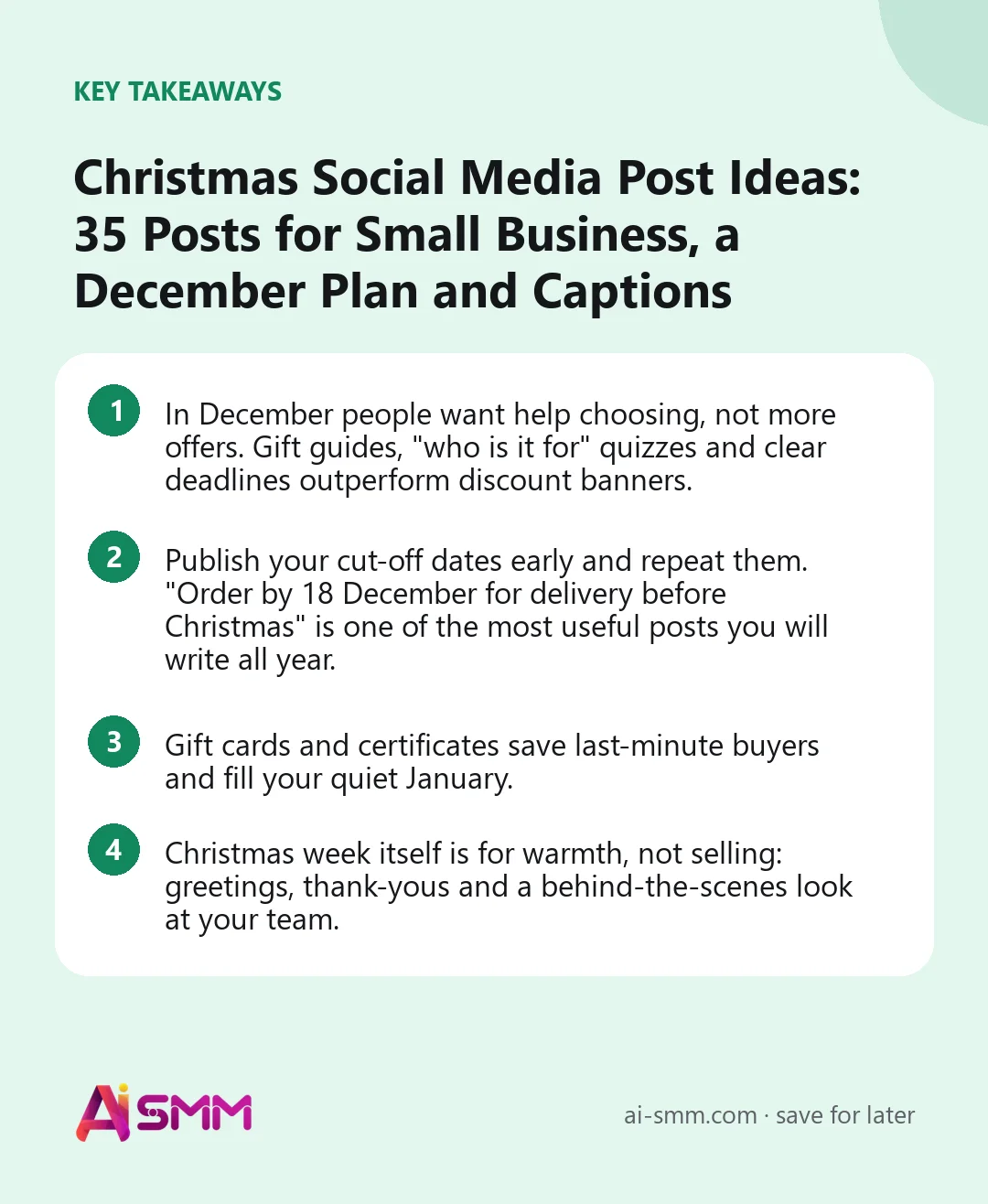
- In December people want help choosing, not more offers. Gift guides, “who is it for” quizzes and clear deadlines outperform discount banners.
- Publish your cut-off dates early and repeat them. “Order by 18 December for delivery before Christmas” is one of the most useful posts you will write all year.
- Gift cards and certificates save last-minute buyers and fill your quiet January.
- Christmas week itself is for warmth, not selling: greetings, thank-yous and a behind-the-scenes look at your team.
A three-week Christmas posting plan
Most small businesses need about three weeks of Christmas content, starting in the first days of December. If you ran a Black Friday campaign, this plan picks up where it ended.
| When | Focus | What to post | Chat mechanic |
|---|---|---|---|
| 1–7 December | Help people plan | Gift guides by budget and recipient, holiday opening hours, delivery deadlines, advent series launch | Gift-finder quiz; advent calendar with a daily task |
| 8–14 December | Proof and inspiration | Customer photos, reviews, packaging, “how we prepare for Christmas”, team favourites | Comment keyword sends the gift guide to DMs |
| 15–21 December | Deadlines and last slots | Final delivery dates, last booking slots, pre-order cut-offs, gift cards for late shoppers | Reminder broadcast to people who asked for it |
| 22–24 December | Last-minute help | Digital gift cards, pick-up options, “open until” Stories, calm greetings | AI answers about opening hours and pick-up |
| 25–26 December | Warmth | Greeting from the team, thank-you post; Boxing Day offer if you run one | Nothing pushy; reply to messages when you are back |
| 27–31 December | Bridge to the new year | Returns and exchanges info, gift card redemption, teaser of your New Year posts | Thank-you message and a January offer for December buyers |
1. Christmas post ideas for online shops
- Gift guide by recipient. “For mum, for a colleague, for a teenager, for someone who has everything.” One carousel slide per person, with prices.
- Delivery deadline post. A clean graphic with your last order dates by region or shipping method. Pin it and repeat it in Stories every few days.
- Wrapping service reveal. Show the gift wrap, the handwritten card and the ribbon. For many buyers, “they wrap it for me” is the deciding factor.
- Stocking fillers under €15. Small, cheap items that raise the order value and are easy to add at checkout.
- “We packed 100 orders today.” A timelapse of the packing table. It shows scale, care and that you are real people.
- Digital gift card for the forgetful. Posted on 22–24 December: “Forgot someone? A gift card arrives by email in minutes.”
- After-Christmas exchange policy. A calm, clear post on how exchanges work. It removes the risk that stops people buying gifts in the first place.
2. Christmas post ideas for cafes and bakeries
- Christmas menu launch. Seasonal drinks and desserts in one photo carousel, with dates they are available.
- Pre-order cut-off. “Christmas cakes and cookie boxes: order by 20 December, pick up on 23–24 December.”
- Advent treat of the day. A small seasonal item featured daily in Stories, with a playful countdown to Christmas.
- Holiday opening hours. A simple graphic, pinned and saved to highlights. You will be asked this question dozens of times anyway.
- Table booking for team parties. Show the room decorated and how many guests it seats, with a booking link.
- Recipe from your kitchen. A simplified version of one of your festive bakes. Generosity builds loyalty; people still come for the real thing.
- Staff Christmas wish. Each team member names their favourite item on the winter menu. Personal, warm and easy to shoot.
3. Christmas post ideas for beauty salons
- Party-ready looks. Three looks for office parties, family dinners and New Year’s Eve, with the service behind each one.
- Last free slots board. Updated in Stories: “Still free on 23 December: 10:00, 14:30.” Remove slots as they go.
- Gift certificate in a box. A beautifully packed certificate with “Delivered to your door or ready to print.”
- Christmas nail art vote. Four designs, followers vote; the winner becomes the featured design for December.
- Self-care between holidays. A carousel of simple home-care tips for skin and hair during a month of late nights.
- Team in festive mood. The team decorating the salon or in matching jumpers. Clients like seeing the people behind the chair.
- January booking opens. “Book your first appointment of the year now and get [bonus].” It fills the quietest weeks ahead.
4. Christmas post ideas for experts and consultants
- Year in review of your clients’ wins. General themes and lessons, with consent, and no invented numbers.
- A gift for your audience. A free template, planner or mini-course delivered in a chat as a thank-you.
- Gift your service. “Give a consultation” certificates for partners or friends who have been talking about a project all year.
- Holiday availability post. When you are off, when you reply, what to do if something is urgent. Clear boundaries read as professional.
- 12 tips of Christmas. One short tip a day from your field for twelve days, as posts or Stories.
- Books under the tree. Your honest reading list for the holidays, with one sentence on why each book matters.
- Early-bird January cohort. Open registration for a January program with a small bonus for signing up before 31 December.
5. Christmas post ideas for local services
- Before-guests cleaning. For cleaners: “Guests on the 24th? Book a clean for the 22nd or 23rd.” Show the last available dates.
- Decoration help. For handymen and florists: putting up lights, wreaths or trees, with a fixed price per job.
- Winter car check before a long drive. A checklist post for people travelling to family, plus booking slots.
- Holiday photo mini-sessions. Short family or pet sessions in a decorated set, with a clear number of slots.
- Gift a class or a membership. For studios and gyms: a certificate that turns into a new regular in January.
- Local charity drive. Collect toys, food or warm clothes at your location and post progress updates. Community posts are shared widely.
- Thank-you to regulars. A short video or photo post naming the neighbourhood and thanking everyone who came in this year.
Christmas social media post ideas as ready captions
- Gift guide: “Don’t know what to give [recipient]? Here are [number] ideas under [budget]. Save this post for later, or comment [WORD] and we will send the full list to your DMs.”
- Deadline: “Last day to order for delivery before Christmas: [date] for [region], [date] for [region]. After that, pick-up or a gift card still saves the day.”
- Last slots: “Still free before Christmas: [day, time], [day, time]. Tap the link to book; we will confirm right away.”
- Gift card: “The gift that is never the wrong size: a [brand] gift card, from [amount]. Delivered by email in minutes.”
- Opening hours: “Our holiday hours: [dates and times]. Messages sent while we are closed will be answered on [day].”
- Greeting: “From all of us at [brand]: thank you for this year. Merry Christmas and a quiet, warm evening to you and yours.”
- Boxing Day or after-Christmas: “Got a gift card? Here is how to use it: [steps]. Exchanges are open until [date].”
Chat mechanics that work in December
December DMs are full of the same questions: what to choose, will it arrive, are you open. Chats can handle much of that, and add a little fun.
- Advent calendar in a chat. Built with gamification blocks: a small task each day (answer a question, visit the catalogue, invite a friend), points on each person’s card and a leaderboard. Top participants get a gift, everyone gets a thank-you offer on the last day.
- Gift-finder quiz. Who is it for, budget, style; the flow scores the answers and sends a matching selection with links.
- Comment keyword to DM. On Instagram and Facebook, “comment GIFT” delivers the full gift guide or price list to the person’s DMs, which also starts a conversation you can continue.
- Telegram channel perk. A flow checks that the person subscribes to your channel before sending a Christmas bonus, so the gift rewards real followers. For contests with tasks, see our guide on running a Telegram contest.
- Christmas giveaway with fair rules. Choose a prize your customers would actually want, publish the terms, and draw the winner openly. Our giveaway rules guide covers the details.
How to prepare Christmas content in AI SMM
Put the whole December plan on one content calendar at the end of November, with deadline posts scheduled well before the dates they mention. The AI content studio turns a product photo or a short brief into festive images and captions in your brand’s style, so a gift guide does not take an evening. For service businesses, a link to online booking in every “last slots” post lets clients pick a time without waiting for your reply, with automatic confirmations and reminders. Gift certificates and products can sit on your link in bio page next to booking and contacts, and all questions from Instagram, Facebook, Telegram and other connected channels land in one inbox.
Common Christmas posting mistakes
- Posting deadlines too late. A cut-off date announced the day before helps nobody. Publish it in early December and repeat it.
- Selling on 25 December. A hard sales push on Christmas Day feels tone-deaf. Greet, thank, rest.
- Assuming everyone celebrates. Keep some posts about winter and the season rather than only about Christmas, especially if your audience is diverse.
- No holiday hours. Missing opening hours generate angry comments from people who came to a closed door.
- Generic stock photos. Your real shop, table or salon with a few decorations beats a perfect but anonymous image.
- Forgetting January. Gift card holders and new followers from December need a reason to come back after the holidays.
FAQ
When should I start posting Christmas content?
For most small businesses, early December is right, with gift guides and deadlines first. Shops that sell gifts and ship far can start in the second half of November, right after Black Friday.
How often should I post in December?
Keep your usual rhythm and add Stories for deadlines and last slots. A higher frequency makes sense in the two weeks before Christmas; after 24 December, fewer and warmer posts work better.
Should I post on Christmas Day?
One greeting post scheduled in advance is enough. Nobody expects offers that day, and a quiet, genuine message is remembered better than a promotion.
What if my audience celebrates Christmas on 7 January?
Then keep the December plan focused on winter and gifts and move the greeting to 6–7 January. Many brands with a mixed audience greet both dates.
Pick the ideas that fit your business, put your deadlines on the calendar first and schedule the rest around them. You can plan December in one sitting with AI SMM, then continue straight into your New Year posts.
Posts, chats, video and sales in one workspace. 7 days free.
Start free