Sell

Popups that turn visitors into leads

Forms, social proof and urgency widgets for your website, with A/B tests and sales attribution.

  • A/Bexperiments
  • Leadsin one list
  • €sales from popups
Popups that turn visitors into leads
Sound familiar?

What gets in the way today
and how AI SMM removes it

Traffic comes, leads don’t

You pay for ads, visitors come to the site and leave without a trace.

With AI SMM: Lead forms, social proof and urgency widgets catch visitors at the right moment, and leads land in one list.

Guessing which offer works

You changed the popup text and have no idea whether it got better or worse.

With AI SMM: Run an A/B test: two versions are shown to visitors, and you keep the one that brings more leads.

Clicks, but where is the money?

The popup gets clicks, but you can’t tell whether it brought a single sale.

With AI SMM: Conversion tracking and attribution show which popup brought which sale. Webhooks pass leads to your other tools.

How it works

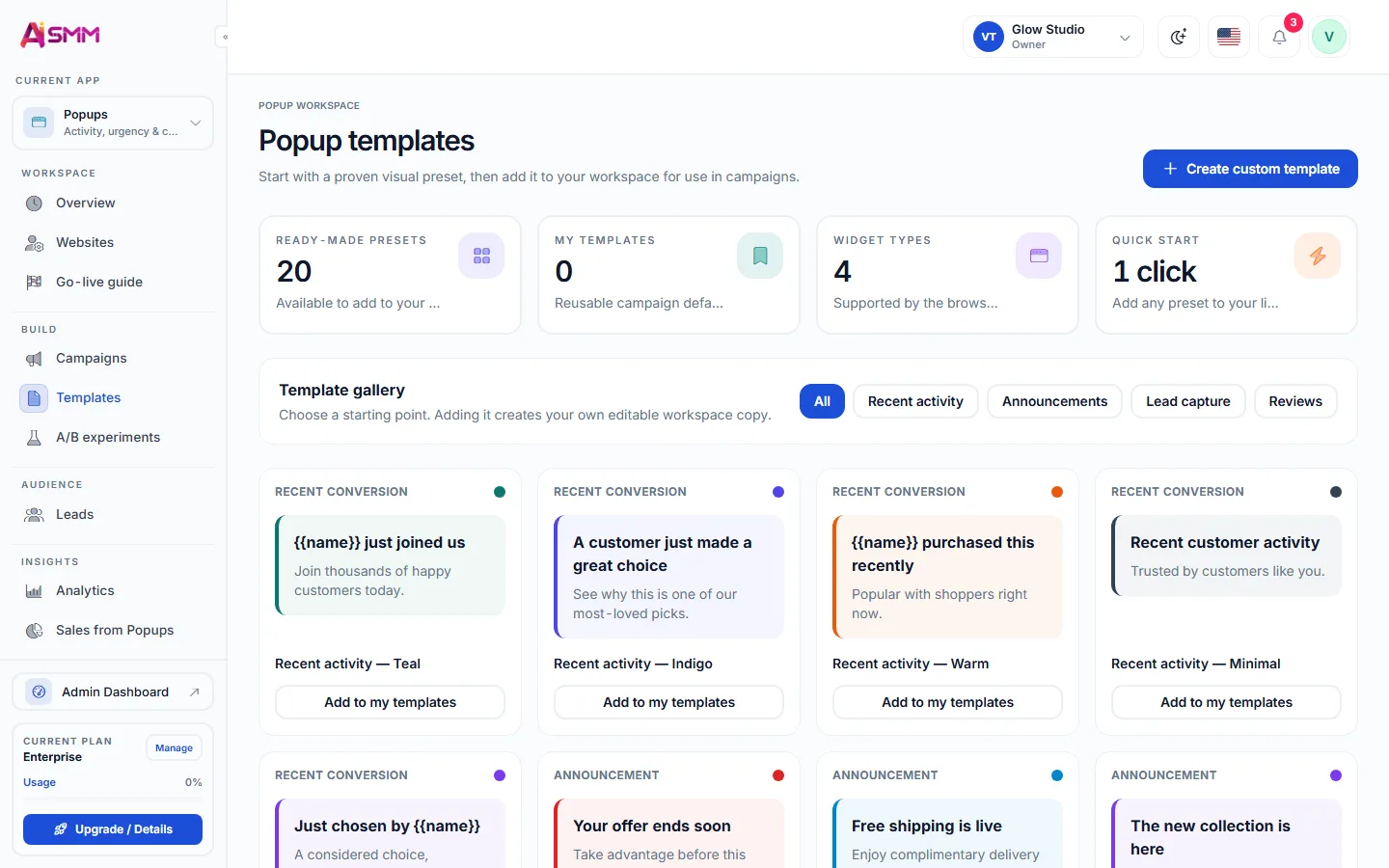
  1. 01Start from a templatePick a popup template: a form, a discount, social proof or an urgency widget.
  2. 02Target who sees itChoose when and to whom the popup appears, so it matches the visitor’s intent.
  3. 03Run an A/B testCompare two versions of the same popup to see which one leads to more leads.
  4. 04Track the sale, not just the clickConversion tracking and attribution show which popup actually led to a sale.

Templates, targeting, tests

Start from a template, choose when and to whom it shows, and test two versions against each other.

Templates, targeting, tests

See the money, not only clicks

Conversion tracking and attribution show which popup brought which sale. Webhooks send leads to your other tools.

See the money, not only clicks

Turn site visitors into leads

Start from a template and add it to your site with one line of code.

Start free 7 days free on paid plans · Free plan forever
Without AI SMM
  • A generic newsletter popup nobody remembers signing up for
  • No way to tell which popup on the site actually works
  • Leads collected on the site but never reaching the CRM
  • One version of a popup shown forever, untested
With AI SMM
  • Templates for forms, social proof and urgency widgets
  • Targeting by when and to whom a popup shows
  • A/B tests that compare two versions directly
  • Conversion tracking and attribution down to the sale
  • Webhooks that send leads straight to your other tools

How businesses use it

Online seller

A discount for a first-time visitor

A visitor who has never bought before sees a first-order discount popup, and attribution later confirms that popup led to the sale, not just a click.

Agency

Proving popups work to a client

An agency running a client’s website sets up an A/B test between two popup versions and shows the client a clear winner with attributed sales, not a guess.

Expert

Leads flowing into a CRM automatically

A popup form on a consultant’s website sends every lead through a webhook straight into the CRM they already use, without anyone copying data by hand.

Who uses it

Pricing

All apps in every plan.
Pay only for scale.

Compare all plans, including Enterprise

What a website popup builder should do beyond collecting emails

Most popups on the web exist to grow a mailing list, and most visitors have learned to close them without reading. A popup builder earns its place when it does more than that: shows the right message to the right visitor at the right moment, proves which version actually works, and connects the lead it collects to the sale it eventually produces.

That is the difference between a popup as decoration and a popup as a sales channel that sits next to the store and email campaigns.

Templates, targeting and A/B tests

A template gets a popup live in minutes: a lead form, a social proof widget showing recent activity, or an urgency message tied to a limited offer. Targeting decides when and to whom it appears, so a returning customer is not shown the same first-order discount as a new visitor. A/B testing then settles, with real numbers, which version of the message or the offer performs better, instead of relying on a guess.

Conversion tracking and sales attribution

A click on a popup is not the same as a sale, and treating the two as equal leads to the wrong conclusions. Conversion tracking follows what a visitor does after closing the popup, and attribution connects that path to an actual sale, so you can see which popup earns its place on the page and which one just adds noise.

Sending leads onward with webhooks

A lead collected on the site rarely stays useful sitting inside the popup tool alone. Webhooks send it to wherever you actually work with leads, whether that is a CRM, a spreadsheet, or a chat flow that starts a conversation automatically the moment the form is submitted.

Choosing a popup and lead form tool for a small site

  • Look for targeting by page, timing and visitor behavior, not a one-size-fits-all popup.
  • A/B testing should be built in, not a separate tool to wire up.
  • Attribution should reach the sale, not stop at the click.
  • Webhooks should exist so leads reach your CRM or a web push welcome series without manual work.
Questions

How do I add popups to my site?

Connect the site and paste one line of code; there is a step-by-step guide and a delivery checker.

Can I show different popups on different pages?

Yes, targeting lets you choose which pages and which visitors see a given popup.

How is a sale linked back to a popup?

Attribution follows the visitor’s path from the popup to checkout, so a completed sale is credited to the popup that started it.

Can a popup send a lead straight into a chat automation?

Yes, through a webhook you can connect a popup form to a [[product/chat-automation|chat flow]] that follows up automatically.

Stop paying for ten tools.
Start with one.