
Sell

Create your own store from your existing product catalogue

Build a storefront, import marketplace products and take orders through your store and Telegram. Configure payment and delivery for your business.

Opens registration in the AI SMM app. Choose your tools after signing up. Plans and limits

AI SMMAI prepares. You decide.
Create your own store from your existing product catalogue
Illustration of the workflow · availability depends on your connections and plan
Sound familiar?

What gets in the way today
and how AI SMM removes it

Selling through DMs and screenshots

Clients ask for photos and prices in chat, and orders get lost in the thread.

With AI SMM: A storefront with categories, search and a cart opens straight from social media, and orders come in one place.

Retyping the catalog by hand

Hundreds of products are already on Shopify or Amazon, and you would copy each one again.

With AI SMM: Import the catalog from Shopify, WooCommerce, Amazon or Etsy in minutes instead of typing every item.

A website costs more than it sells

A developer quotes months and a big budget just to sell a few dozen items.

With AI SMM: Pick one of 16 designs, set delivery zones and payments, and share a link, a QR code or a Telegram Mini App.

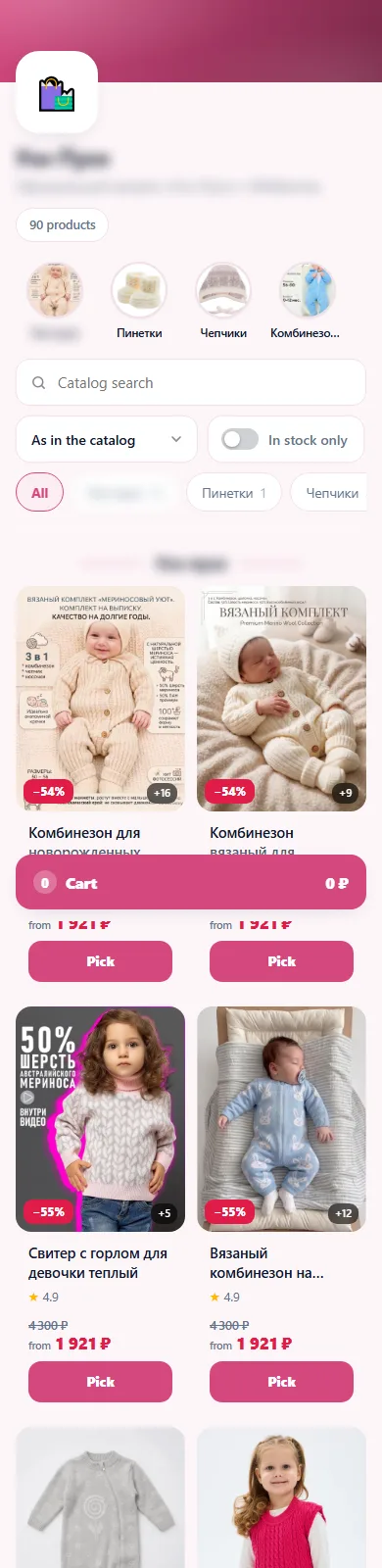
A storefront that looks great on a phone

Most buyers come from social media on a phone. Categories, search, discounts and the cart are one thumb away.

  • Store bot and Telegram Mini App
  • Share link and QR code
  • Reviews and a help page
A storefront that looks great on a phone

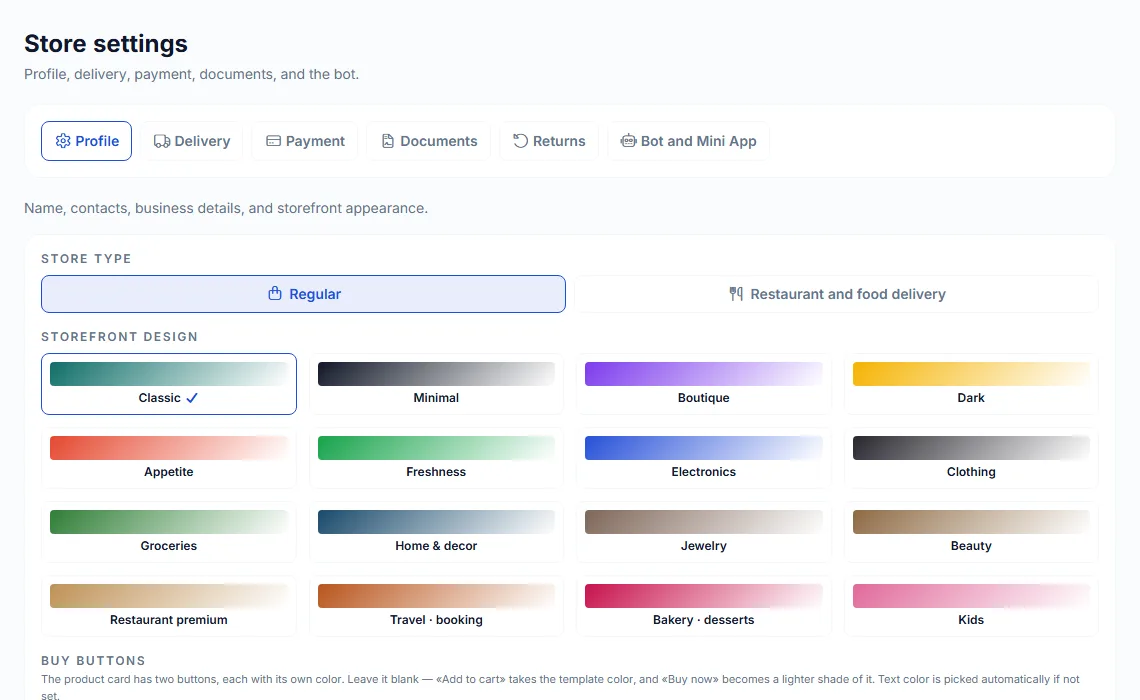
16 designs in one click

Pick a design from minimal to bakery, or switch to the restaurant and food delivery type. Set your own button colors.

16 designs in one click

Orders, delivery and payments

Accept orders, set delivery zones, connect a courier service and payment providers, keep documents and returns in order.

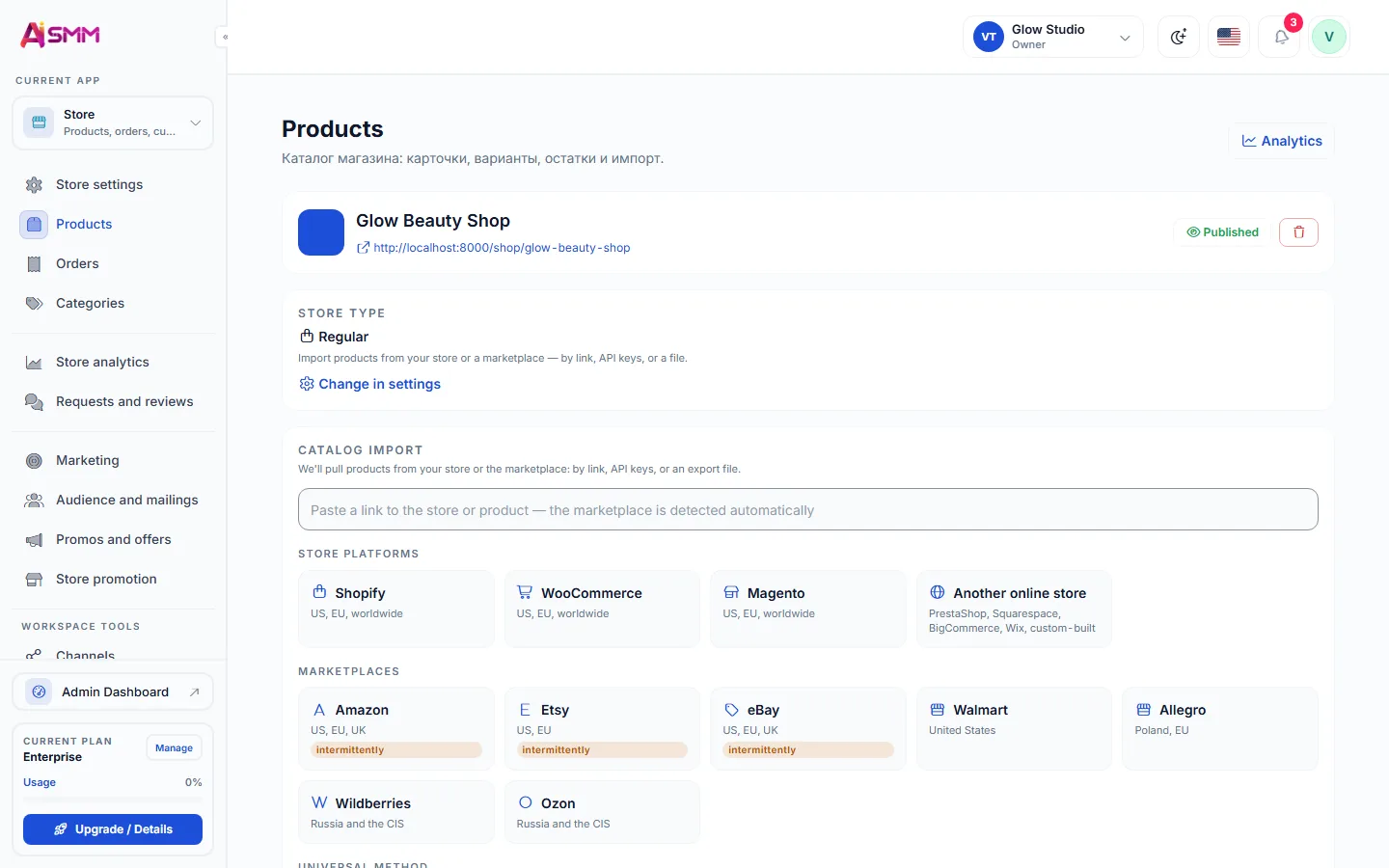
  • Import from Shopify, WooCommerce, Amazon, Etsy and more
  • Promos, discounts and customer mailings
Orders, delivery and payments
Without AI SMM
  • A separate website project just to sell a few products
  • Retyping the catalog from a marketplace by hand
  • Orders tracked in a chat or a spreadsheet
  • No idea which delivery zone a customer is in
With AI SMM
  • A storefront that opens straight from social media
  • Catalog import from Shopify, WooCommerce, Amazon, Etsy and eBay
  • Orders, promos and customer mailings in one place
  • Delivery zones and a courier service connected once
  • A store bot and Telegram Mini App for repeat buyers

How businesses use it

Online seller

The marketplace catalog, a store of your own

Products already listed on Shopify or WooCommerce come across in minutes, and buyers from Instagram and Telegram land on a storefront instead of a screenshot of a price list.

Café and delivery

One menu for delivery and pickup

Switching to the restaurant and food delivery design turns the same catalog into a menu, with delivery zones set once for the whole area the kitchen covers.

Local business

A small catalog next to the rest of the page

A handful of products or gift certificates sit next to the booking page and contacts, so a customer never has to leave the link in bio to pay.

Who uses it

What an online store builder for social media sellers actually needs

Most buyers who come from Instagram, Telegram or a link in bio are on a phone, in a hurry, and comparing you with a marketplace they already trust. A store builder for this audience has to load fast, show the price and the button without scrolling, and let a purchase finish in the same app the customer is already in. A generic website builder is not built for that: it assumes a desktop visitor with time to explore, not someone tapping through a story.

That is why AI SMM keeps the store next to the rest of the workspace: the same contacts, the same link in bio page and the same inbox that already answers customer questions.

How to sell on Telegram without a separate app

The store bot and the Telegram Mini App turn a Telegram channel into a shop window. A subscriber taps a button, browses the catalog inside Telegram, and pays without downloading anything or opening a browser. For channels built around a community, this is often the shortest path from a post to an order, because the customer never leaves the app they were already using.

Importing a catalog from Shopify, WooCommerce, Amazon and other marketplaces

Sellers who already list products on a marketplace do not need to describe every item twice. The catalog import brings titles, photos and prices across, so the store can go live the same day. From there, promos, discounts and customer mailings run independently of the marketplace, which means you keep the customer relationship instead of renting it.

Delivery zones, a courier service and payments

  • Delivery zones decide the price and time a customer sees at checkout, so they need to match how the courier service actually covers the city.
  • Payment gateways depend on the country the store operates in, and several are available so you can offer the one customers already trust.
  • Reviews and a help page reduce the messages that would otherwise land in the inbox before a purchase.

What to check before choosing a store for social media

  • Can the catalog be imported instead of retyped, and from which marketplaces.
  • Does the store open inside Telegram, or only as a separate website link.
  • Are delivery zones and a courier connection built in, or a separate tool.
  • Does the same platform also run the popups and email campaigns that bring customers back.
Learn

Guides and lessons
to get results faster

All articles and tutorials

Questions

Do I need a separate website?

No. The store has its own page and a Telegram Mini App, and you can link it from social media.

Which payment methods are supported?

Several popular payment gateways; the list depends on your country.

Can I switch the store to a restaurant menu later?

Yes, the restaurant and food delivery type is one of the design options and can be applied to an existing catalog.

Does the catalog import bring photos too?

Yes, titles, photos and prices come across with the import, and you can edit any item afterward.

Can I run a promo only for one delivery zone?

Promos and discounts are set at the store level and shown to customers browsing the catalog, so target them by product or by the mailing list you send to.

Your first steps

Start with one task.

You do not need to set up everything at once. Choose a workflow, check the requirements and prepare your first result.

  1. Choose a task

    Plan content, organise conversations or prepare a booking page. Start with what you need now.

  2. Set up your context

    Add your business information and connect the accounts needed for that workflow. Check access and plan limits.

  3. Review before launch

    Check the draft, settings and customer journey before publishing or enabling an automation.

Opens registration in the AI SMM app. Choose your tools after signing up.

Feature availability, AI usage and account limits depend on the chosen plan. Review the terms before connecting a paid service.