AI SMM team
YouTube SEO means preparing each video so YouTube can tell what it is about and who it helps, and then earning the watch time that keeps it ranking. For a small business the recipe is simple: pick one search phrase per video, put it at the start of the title and the first lines of the description, add chapters, subtitles and a clear thumbnail, and make the first 30 seconds deliver on the promise. Everything else in YouTube SEO is detail on top of that. This guide covers each step with examples for service businesses and shops, plus a checklist you can use on every upload.
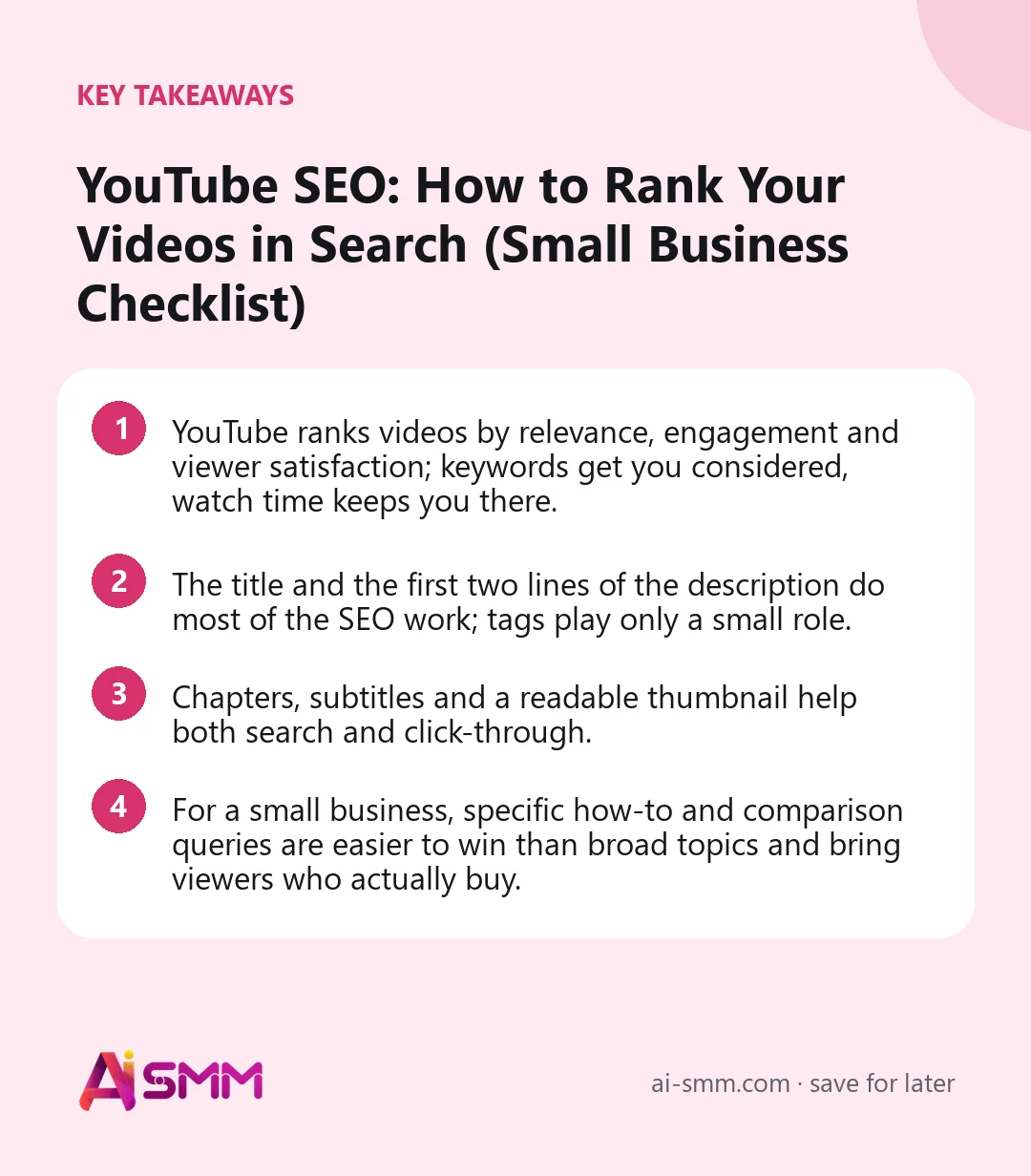
- YouTube ranks videos by relevance, engagement and viewer satisfaction; keywords get you considered, watch time keeps you there.
- The title and the first two lines of the description do most of the SEO work; tags play only a small role.
- Chapters, subtitles and a readable thumbnail help both search and click-through.
- For a small business, specific how-to and comparison queries are easier to win than broad topics and bring viewers who actually buy.
What YouTube SEO is and where it pays off
YouTube is one of the largest search engines in the world, and its videos also appear in Google results. People go there with practical intent: “how to descale a coffee machine”, “best tiles for a small bathroom”, “beginner yoga for back pain”. A local contractor, a coffee equipment shop or a yoga studio that answers these questions gets in front of buyers while they are still deciding.
YouTube SEO affects three places where your video can be found:
- YouTube search, where the query and your title, description and subtitles are matched.
- Suggested videos, next to and after related videos, where topic and viewer behaviour matter most.
- Google results, where how-to videos often show up with key moments taken from chapters.
Unlike a TikTok clip that peaks in two days, a well-optimised YouTube video can bring steady views and enquiries for years. That makes the extra 20 minutes of preparation per video one of the best investments a small channel can make.
How YouTube decides what to show
YouTube publicly describes its search ranking in broad terms: relevance to the query, engagement signals, and quality. In practice that translates into the table below.
| Factor | What YouTube looks at | What you control |
|---|---|---|
| Relevance | Title, description, spoken words, subtitles | Clear keyword in title and first lines; saying it out loud |
| Engagement | Click-through, watch time, likes, comments | Thumbnail, strong opening, useful content |
| Satisfaction | Whether viewers stay or leave quickly and go back to search | Deliver what the title promises, early |
| Channel context | Consistent topics across your videos | Stick to a few themes your customers care about |
1. Do keyword research for YouTube, not just for Google
Start with the questions your customers already ask on the phone, in DMs and in the shop. Then check how people phrase them on YouTube:
- Use YouTube autocomplete. Type “how to clean” and note what YouTube suggests. These are real, frequent queries.
- Look at top results. If the first page is full of big brands with millions of views, try a more specific version of the phrase.
- Check the Google “Videos” tab for the same query to see which topics get video results.
- Read comments on popular videos in your niche for follow-up questions nobody answered well.
Prefer specific, intent-heavy phrases. “Bathroom renovation” is hard to rank for; “how much does a small bathroom renovation cost in 2026” or “shower tray vs tiled floor” are easier and attract people close to a decision.
2. Write a title that matches the query and makes people click
The title is the strongest relevance signal you control. Put the main phrase near the beginning, keep the important part within about 60 characters so it is not cut off in search, and add a specific promise.
- Weak: “Our latest project!”
- Better: “Small Bathroom Renovation: Full Cost Breakdown and Timeline”
- Weak: “Coffee tips”
- Better: “How to Descale a Coffee Machine in 10 Minutes (Without Vinegar)”
Avoid clickbait that the video does not deliver. A high click-through rate followed by viewers leaving quickly tells YouTube the video is a poor answer.
3. Use the description to explain, not to stuff
Only the first one or two lines of the description are visible before “more”, and they also appear in search results. Use them to restate the main phrase naturally and say what the viewer will get. Below that, write two or three short paragraphs about the content, add useful links (booking page, product, related video), and your chapters.
Example for a yoga studio: “Beginner yoga for lower back pain: a gentle 15-minute routine you can do at home. We explain each pose, what to avoid and when to see a doctor.” That is readable for humans and clear for YouTube.
4. Add chapters with timestamps
Chapters split a video into labelled sections. They make long videos easier to navigate, and Google often shows them as key moments in search results. To create chapters, list timestamps in the description starting with 00:00; YouTube’s rules require at least three chapters of at least 10 seconds each. Name chapters with words people search: “00:00 Why tiles crack”, “01:40 Choosing adhesive”, “04:15 Grouting”.
5. Make a thumbnail that is readable on a phone
The thumbnail and title work together to earn the click. Most views happen on phones, so test the thumbnail at small size.
- Show the result or the problem: the finished kitchen, the cracked tile, the product in use.
- Add three to five words at most, not the full title.
- Use strong contrast and one focal point.
- Keep a consistent style so returning viewers recognise your channel.
Custom thumbnails are set in YouTube Studio and may require a verified account.
6. Add subtitles and say the keyword out loud
YouTube generates automatic captions, but they often misspell brand names and professional terms. Review and correct them, or upload your own subtitle file. Accurate subtitles help viewers watching without sound, viewers who speak another language, and YouTube’s understanding of the video. Mention the main phrase naturally in the first 30 seconds: “Today I will show you how to descale a coffee machine without vinegar.”
7. Treat tags and hashtags as minor helpers
YouTube itself says tags play a minimal role in discovery; they are mostly useful for common misspellings of your topic or brand. Add a handful and move on. Hashtags in the description can appear above the title; use one to three relevant ones, such as #bathroomrenovation, rather than a long list.
8. Win the first 30 seconds and keep people watching
Retention is where many small channels lose. Open with the outcome or the problem, not a long intro or logo animation. Then keep the pace up:
- State what the viewer will learn and why it matters in one or two sentences.
- Cut pauses, false starts and repetitions.
- Change the shot every few seconds in demonstrations: close-up, wide, result.
- Check the audience retention graph in YouTube Studio and note where people leave; fix that pattern in the next video.
9. Link videos together with playlists, cards and end screens
A viewer who watches two or three of your videos in a row is a strong positive signal. Group videos into playlists by topic (“Bathroom renovation”, “Kitchen projects”), add cards that point to a related video at the moment it becomes relevant, and use an end screen in the final seconds to suggest the next video and your subscribe button.
YouTube SEO examples by niche
| Business | Search phrase | Title | First line of description |
|---|---|---|---|
| Coffee equipment shop | how to descale coffee machine | How to Descale a Coffee Machine in 10 Minutes (Without Vinegar) | Step-by-step descaling for home espresso machines, with what to use instead of vinegar. |
| Home renovation contractor | small bathroom renovation cost | Small Bathroom Renovation Cost: Real Breakdown From a Finished Project | What a small bathroom renovation costs, item by item, and where you can save. |
| Yoga studio | yoga for lower back pain beginners | Yoga for Lower Back Pain: 15-Minute Routine for Beginners | A gentle 15-minute routine for beginners with lower back pain, with each pose explained. |
| Language school | present perfect explained | Present Perfect Explained in 8 Minutes (With Everyday Examples) | When to use the present perfect, with examples from real conversations. |
Checklist for every upload
- One main search phrase chosen from real YouTube suggestions.
- Phrase near the start of the title; important part within about 60 characters.
- First two lines of the description restate the phrase and the benefit.
- Chapters from 00:00, at least three, named with searchable words.
- Thumbnail readable on a phone, three to five words at most.
- Subtitles reviewed for key terms.
- Opening delivers the promise within 30 seconds.
- Video added to a playlist, with an end screen pointing to a related video.
How to handle YouTube SEO in AI SMM
AI SMM covers the parts that usually get rushed on upload day. AI Content Studio drafts the title and description from your script, transcript or a short brief, so you can ask for “a searchable title around ‘small bathroom renovation cost’ and a description with the benefit in the first line”, then edit it. You can schedule the upload to YouTube from the same calendar as your other networks with social media management; each post is one video, and a Shorts clip is its own post. Video clipping cuts the long video into vertical clips with subtitles for Shorts, TikTok and Reels that point viewers back to the full video. Comments on your videos arrive in the shared inbox, where AI can draft a reply from your knowledge base before you send it, and analytics shows subscribers, views and engagement per video. Custom thumbnails, subtitle files and the retention graph stay in YouTube Studio.
FAQ
How long does YouTube SEO take to show results?
Some videos get search traffic within days, but most build over weeks and months as YouTube collects data about viewers. Judge a video after at least a month and compare it with your own channel average.
Do I need a lot of subscribers to rank in YouTube search?
No. Small channels regularly rank for specific queries because relevance and viewer satisfaction matter more than subscriber count. Choose narrow phrases where you can be the best answer.
Are tags still important for YouTube SEO?
Only slightly. YouTube says tags play a minimal role. Spend your time on the title, description, subtitles and the first 30 seconds instead.
Should I change the title of an old video?
Yes, if the video gets impressions but few clicks, or targets a phrase nobody searches. Change one thing at a time and give it a few weeks before judging.
Pick your next video, choose one search phrase for it and run the checklist above before publishing. AI Content Studio in AI SMM will draft the title and description so you can spend upload day on the video itself.
Posts, chats, video and sales in one workspace. 7 days free.
Start free