AI SMM team
Facebook marketing for small business works when you treat your Page as a local storefront, not a megaphone: a complete Page, two to four useful posts a week, short Reels, fast replies in comments and Messenger, and a small, targeted ad budget once organic posts show what people respond to. Many owners gave up on Facebook after organic reach dropped and now post an occasional promo into silence. Yet for local services, older audiences, community-driven businesses and anyone selling to parents, Facebook is still where a large share of customers look, ask and compare. This guide lays out a Facebook marketing strategy a small team can actually run.
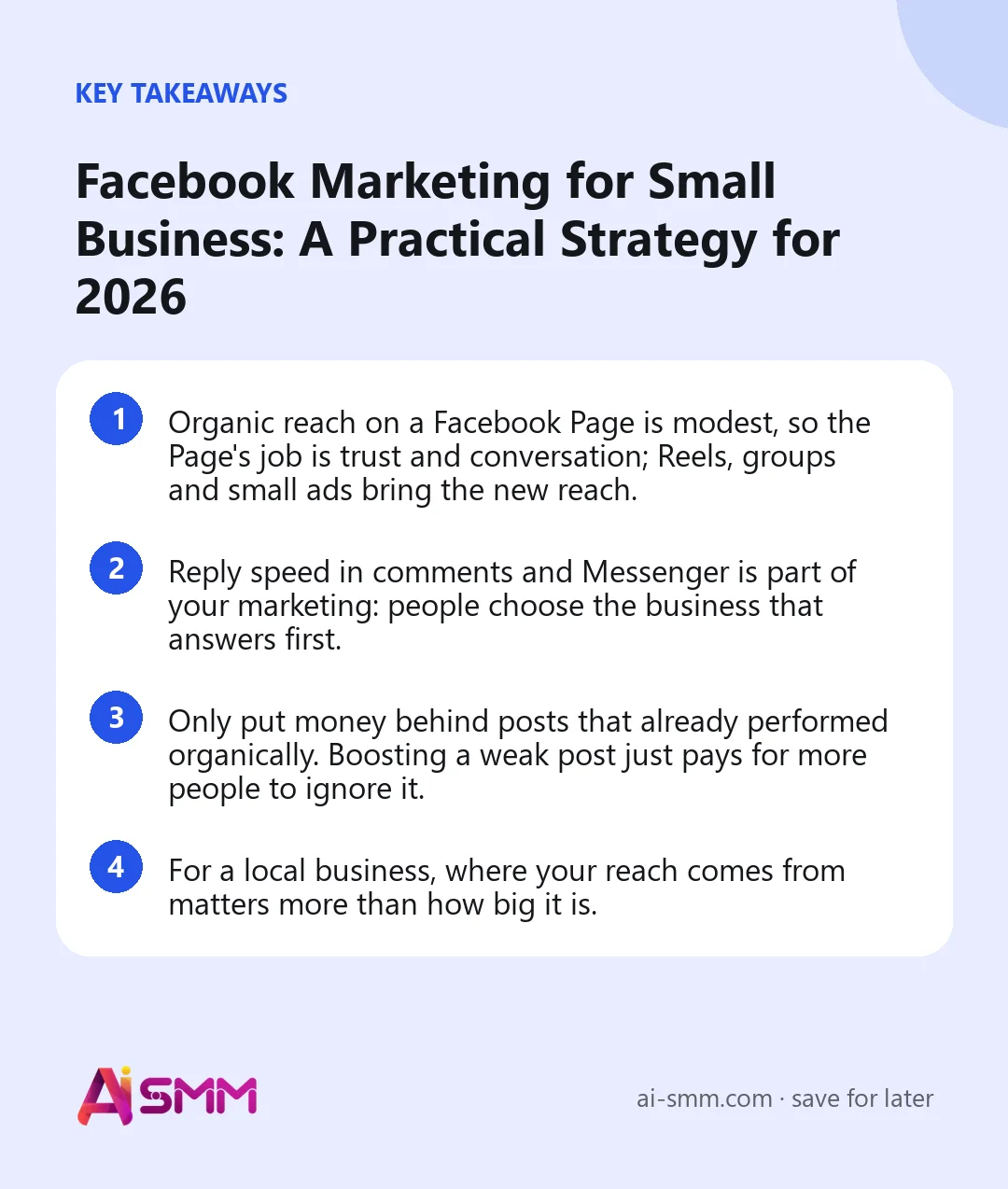
- Organic reach on a Facebook Page is modest, so the Page’s job is trust and conversation; Reels, groups and small ads bring the new reach.
- Reply speed in comments and Messenger is part of your marketing: people choose the business that answers first.
- Only put money behind posts that already performed organically. Boosting a weak post just pays for more people to ignore it.
- For a local business, where your reach comes from matters more than how big it is.
Is Facebook marketing still worth it for a small business?
Yes, for the right business. Facebook remains one of the largest social networks in the world, and its audience skews older than TikTok’s or Instagram’s, which is good news if your customers are homeowners, parents or professionals rather than teenagers. It is also built around places and communities: local groups, events, recommendations and Marketplace all keep people searching for nearby businesses inside the app.
Where Facebook is weaker is organic reach for Pages. A post may be shown to only a small share of your followers unless people engage with it quickly. That changes the strategy, not the value: use the Page to earn trust and conversations, and use Reels, groups and targeted ads to reach new people.
| Business type | How well Facebook fits | Main use |
|---|---|---|
| Local services (repairs, clinics, salons) | Strong | Reviews, local groups, Messenger enquiries |
| Cafés, restaurants, delivery | Strong | Menus, events, daily specials, local ads |
| Online shops | Good | Retargeting ads, product videos, Messenger support |
| B2B services | Moderate | Community groups, credibility, retargeting |
| Brands for teenagers | Weak | Better to focus on TikTok and Instagram |
1. Set up your Facebook Page as a storefront
Most people check a business’s Page before calling, booking or buying. An incomplete Page quietly loses those customers. Go through this checklist once:
- A profile picture people recognize (logo or storefront) and a cover that shows what you do, not a stock photo.
- The right category, address, service area, opening hours and phone number.
- A short description that says what you offer, for whom and where.
- An action button that matches your main goal: book, message, call or shop.
- A pinned post with your current offer or the most useful information for new visitors.
- Reviews or recommendations switched on, and a plan to ask happy clients for them.
2. Pick one goal for the next 90 days
“Being on Facebook” is not a goal. Choose one business result and let it decide what you post:
- More enquiries: posts that end with a question or an invitation to message you.
- More bookings: free slots, before and after results, a clear booking link.
- More local awareness: Reels, community involvement, participation in local groups.
- More repeat sales: new arrivals, loyalty offers, customer stories.
Write the goal and one number for it at the top of your content plan, for example “20 Messenger enquiries a month”. It makes every later decision easier.
3. Build a Facebook content mix that earns engagement
Because Facebook shows posts to more people when early readers react, comment and share, content that starts conversations beats content that only announces.
| Content type | Example | Share of posts |
|---|---|---|
| Useful tips | “How to tell your boiler needs a service before winter” | About a third |
| Behind the scenes and people | The team, the workshop, a day in the kitchen | About a quarter |
| Social proof | Client results, reviews, questions answered | About a fifth |
| Offers and news | Seasonal deals, new services, events | The rest, not every post |
Write the way people talk in local groups: direct, specific, with a question at the end when it fits. “Which would you choose for your garden, A or B?” gets more comments than “Check out our new range”.
4. Use the formats Facebook pushes: Reels and Stories
Facebook shows Reels to people who do not follow your Page, which makes them the main organic way to reach new customers. A 20–40 second vertical video of a process, a transformation or a quick tip is enough. If you already make Reels for Instagram or Shorts for YouTube, the same clips can serve Facebook too, with an adjusted caption.
Stories are for lighter, daily moments: today’s special, a free slot this afternoon, a quick poll. Regular posts carry either a photo or a video. Plan each post around one strong visual rather than squeezing everything into one.
5. Use Facebook groups the right way
Groups are where local conversations happen: neighborhood groups, parents’ groups, hobby communities, professional circles. Two ways to use them:
- Take part in existing groups. Answer questions in your area of expertise as a helpful neighbor, not an advertiser. Read the group rules; many allow promotion only on specific days or not at all.
- Start your own group when you have an engaged base: a club for your clients, a community around your craft, a local interest group. It takes time to moderate, so start only if someone can look after it several times a week.
In our experience, one genuinely useful answer in a busy local group can bring more enquiries than a month of Page posts, because the recommendation comes with context and trust.
6. Treat comments and Messenger as sales conversations
Every comment asking “how much?” and every Messenger message is a potential customer comparing you with competitors. Speed decides a lot of these. Practical rules:
- Reply to comments within the first hour after posting, when most of them arrive.
- Answer price and availability questions publicly in short form, then offer details in Messenger.
- Prepare answers to your top ten questions so anyone on the team can reply consistently.
- Never leave a negative comment unanswered: respond calmly, offer to solve it in private.
7. Spend a small ad budget wisely
Facebook ads do not need a large budget to be useful for a small business, but they do need focus.
- Test organically first. Promote only posts or Reels that already got above-average reactions and comments.
- Target by location. For local businesses, a tight radius around your address is usually worth more than a broad interest audience.
- Choose one objective. Messages, website visits or bookings, matching the goal from step 2.
- Start small and run long enough. A modest daily budget over one to two weeks gives cleaner results than a big spend over two days.
- Retarget. People who engaged with your Page or visited your site are the cheapest audience to convert.
Boosting a post from the Page is the simplest option; Ads Manager gives more control once you know what works.
8. Measure what matters for a small business
Follower count is the least useful Facebook number. Watch these instead, monthly:
- Reach and engagement per post, to learn which topics and formats to repeat.
- Where your reach comes from. For a local business, a post seen mostly outside your service area is not doing its job.
- Messenger enquiries and comment questions, the closest signal to sales.
- Bookings or orders you can trace to Facebook, even if you track them by simply asking “how did you find us?”.
9. Collect reviews and recommendations on purpose
For local businesses, recommendations on the Page are often the deciding factor between you and the competitor down the street. They rarely appear on their own, so make asking part of the routine:
- Ask at the moment of satisfaction: right after a great haircut, a finished repair or a delivered order.
- Send the direct link to your Page’s reviews in a follow-up message, so leaving one takes seconds.
- Reply to every recommendation, positive or negative, by name and with something specific.
- Turn the best ones into posts or Reels, with the client’s permission.
A sample two-week Facebook plan
Here is how the ideas above fit into a realistic two-week cycle for, say, a neighborhood bakery:
| Day | Week 1 | Week 2 |
|---|---|---|
| Monday | Tip: how to keep sourdough fresh for three days | Behind the scenes: the 5 am shift in a Reel |
| Wednesday | Reel: croissant lamination in 30 seconds | Customer review turned into a post, with a question to readers |
| Friday | Weekend special and pre-order link | Poll: “Which seasonal bake should we bring back?” |
Between posts, keep up the daily basics: stories with today’s bakes, replies to comments within an hour, one helpful answer a week in a local group. Once a month, check which post got the most comments and messages, and consider putting a small ad budget behind a similar one aimed at people within a few kilometers.
How to run Facebook marketing in AI SMM
AI SMM keeps your Facebook Page in the same workflow as your other networks.
- Plan and publish. Schedule Page photo or video posts, Reels and Stories in one calendar next to Instagram, Telegram and the rest. The owner can approve posts from a phone in a Telegram Mini App.
- Create faster. The AI content studio drafts captions and images in your brand’s tone from a brief or a product photo, and video clipping turns a long video into Reels.
- Answer in one place. Page comments and Messenger arrive in the shared inbox. A comment can start a flow that replies publicly and continues the conversation in Messenger with details or a booking link, and AI can draft replies from your knowledge base.
- Read the numbers. Analytics shows Page followers, reach and the geography of engagement, so you see whether posts reach people in your area.
Facebook marketing mistakes small businesses make
- Posting only promotions, so the Page reads like a flyer rack.
- Copying Instagram captions full of hashtags without adapting them.
- Leaving Messenger questions unanswered for a day or more.
- Boosting random posts instead of proven ones.
- Spamming local groups with ads and getting removed.
- Judging Facebook by follower count instead of enquiries and bookings.
FAQ
How often should a small business post on Facebook?
Two to four posts a week plus occasional Stories is a realistic rhythm. Consistency and replies matter more than volume; posting daily with no engagement does not help.
Is a Facebook Page or a Facebook group better for a small business?
Start with a Page: it is your official presence, collects reviews and can run ads. Add a group later if you have an engaged community and someone to moderate it.
How much should a small business spend on Facebook ads?
There is no universal number. Start with a small daily budget on a post that already performed well, run it for one to two weeks and judge it by enquiries or bookings, not likes.
Can I post the same content on Facebook and Instagram?
You can prepare content once and publish to both, but adjust the format and caption: Facebook posts carry a photo or a video, conversation-style captions work better, and heavy hashtag blocks look out of place.
Want your Facebook Page, comments and Messenger handled from the same place as the rest of your social media? Start with AI SMM and plan your next two weeks of Facebook posts today.
Posts, chats, video and sales in one workspace. 7 days free.
Start free