AI SMM team
Content curation for social media means finding the best material other people have published, such as articles, research, videos, tools and posts, and sharing it with your audience together with your own short take. Done well, it fills the calendar without constant creation and positions you as the person who knows what is worth reading in your field. Done badly, it turns your account into a feed of links nobody asked for. Below is how to curate properly: where to find sources, how to add value, how to credit creators, what share of your posts to curate and a weekly routine that takes under an hour.
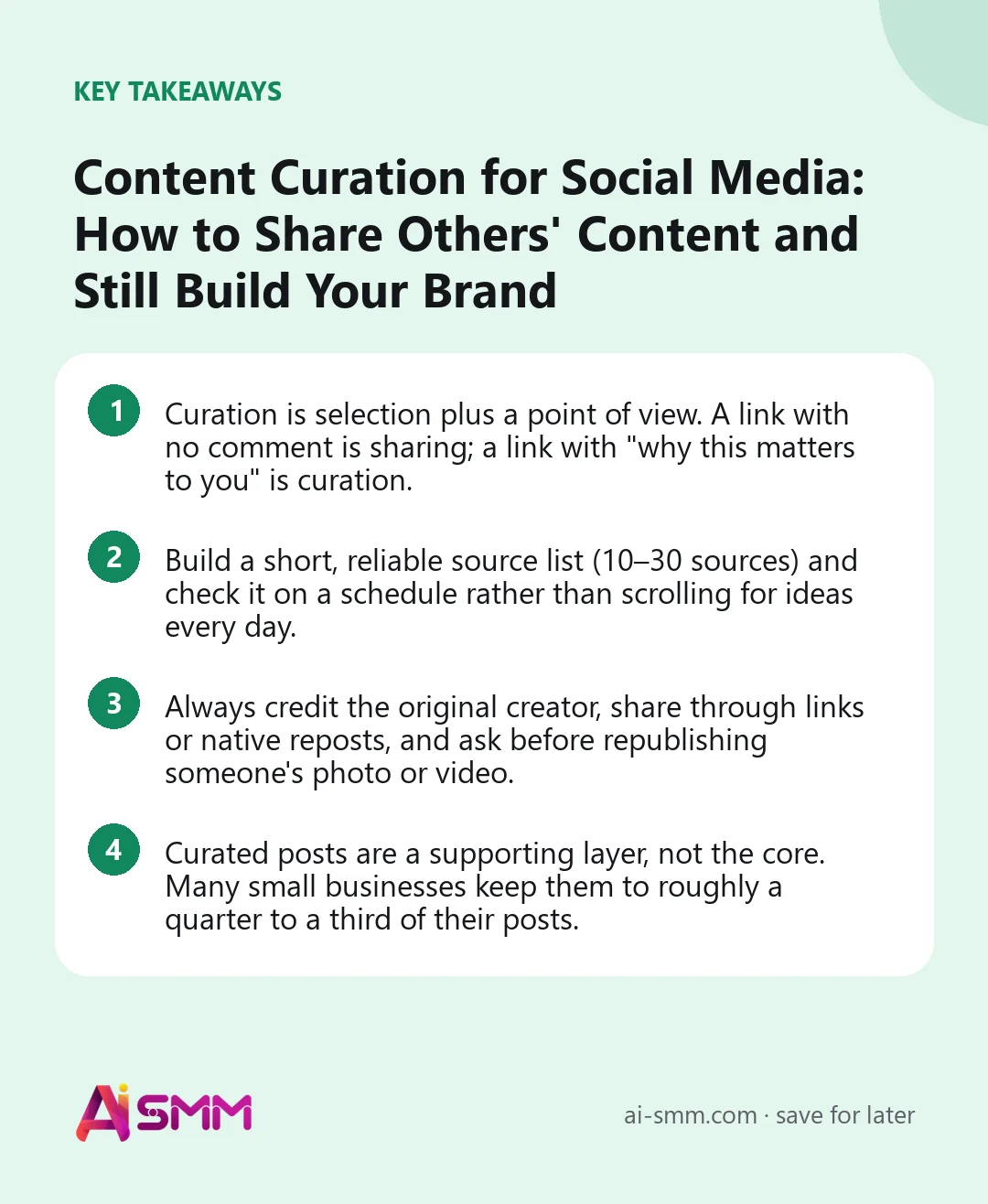
- Curation is selection plus a point of view. A link with no comment is sharing; a link with “why this matters to you” is curation.
- Build a short, reliable source list (10–30 sources) and check it on a schedule rather than scrolling for ideas every day.
- Always credit the original creator, share through links or native reposts, and ask before republishing someone’s photo or video.
- Curated posts are a supporting layer, not the core. Many small businesses keep them to roughly a quarter to a third of their posts.
What content curation for social media is
Curation is editorial work. You read or watch more than your audience has time for, pick what is genuinely useful to them and explain in a few lines why it deserves their attention. The value you add is the selection and the commentary, not the original material.
Curated content comes in several forms:
- A single share with commentary: a link to an article, study or video plus your takeaway and what your audience should do about it.
- A roundup or digest: “Five things worth reading this week for café owners”, each with one line of context.
- A quote or data point with your interpretation: one number from a public report and what it means for your clients.
- A reshare of a customer’s or partner’s post: through the network’s own repost or collab feature, or with permission.
- A tool or resource list: “The three free templates we actually use for invoices.”
Curation is not reposting other people’s content as your own, copying articles into your captions, or sharing links you have not read.
Why curate at all
- It keeps the calendar full without burning you out. Original posts take hours; a good curated post takes 10–15 minutes once your sources are in place.
- It builds authority. When you consistently point people to the right things, they start treating you as a guide in your field, even when the material is not yours.
- It builds relationships. Crediting and tagging other creators, suppliers or local businesses often leads to reshares, collaborations and referrals.
- It feeds your own ideas. What you curate shows you what your audience responds to, which tells you what to create next.
Where to find content worth curating
The quality of curation depends on the quality of your inputs. Instead of hunting for something to share every morning, build a source list once and review it on a schedule.
| Source type | Examples | Good for |
|---|---|---|
| Industry media and blogs | Trade magazines, association sites, respected niche blogs | News, changes in rules, trends |
| Newsletters | Weekly digests from experts in your niche | Pre-filtered links; you pick the best of the best |
| RSS feeds | Any site that publishes an RSS feed, collected in one reader | A single place to scan dozens of sources in minutes |
| Search alerts | Alerts for your niche keywords, city or product category | Local news and mentions of topics you care about |
| Social accounts and communities | Experts on LinkedIn and Threads, niche subreddits, Telegram channels, YouTube channels | Opinions, discussions, fresh examples |
| Official sources | Regulators, statistics offices, platform help centres and blogs | Facts and rule changes you can explain in plain words |
| Your customers and partners | Reviews, customer posts, supplier updates, local events | Social proof and community content |
Keep the list short: 10–30 sources you trust are better than 200 you never read. Once a quarter, remove the ones you have not used and add one or two new ones.
How to judge whether something is worth sharing
- Is it useful to my audience specifically, not just interesting to me?
- Is it accurate and from a credible source? Check the original of any statistic before passing it on.
- Is it recent enough? Rules and platform features change; last year’s how-to may be wrong today.
- Can I add something? If you have nothing to say about it, skip it.
- Does it send people to a competitor? Sharing a competitor’s great article is sometimes generous and smart, but do it deliberately.
How to add your own value: the “take” formula
The difference between curation and a link dump is the few lines you write above the link. A simple structure that works on most networks:
- Hook: the one idea from the source that matters most to your audience.
- Your take: do you agree, what is missing, how does it apply locally or in your niche?
- Action: what the reader should do with it this week.
- Credit: name the author or outlet, tag them where appropriate, link to the original.
Illustrative example for an accounting firm on LinkedIn: “The tax office has published guidance on the new invoicing rules, and most small shops we talk to haven’t seen it yet. The key part is on page 3: what changes for businesses above the turnover threshold. If that’s you, check your till and invoicing software now, not in the last week before the deadline. Full guidance linked below.”
The same source becomes a different post for each audience. A hair salon sharing a dermatologist’s article on scalp care adds “this is why we ask about your shampoo at every visit”; a gym sharing a study on sleep adds “here’s how we adjust training when you’ve slept badly”.
Crediting, permissions and copyright
This is where curation most often goes wrong. The rules below are general good practice, not legal advice; if you are unsure about a specific case, ask the creator or a lawyer.
- Link to the original rather than copying the text. Quote a sentence or two, not whole paragraphs.
- Name the creator in the post, not only in a hidden tag. “Via” or “Source:” plus the name is enough.
- Use native share features when you can: reposts, quote posts, collab posts and shares keep the original author attached.
- Ask before republishing photos and videos. Downloading someone’s image or Reel and uploading it to your account usually needs their permission, even with credit. A short DM (“Can we share this on our page with credit?”) and a screenshot of the yes keep you safe.
- Customer content is still their content. A customer’s post about your product is lovely social proof, but ask before you reuse it in your feed or ads.
- Do not remove watermarks or crop out credits.
How much of your content should be curated?
There is no fixed rule, and you will see several “ratios” quoted online. What matters is the role curation plays: it should support your own content, not replace it. In our experience, many small businesses land somewhere around a quarter to a third curated posts, with the rest being their own content and offers.
| Account type | Curated share that tends to work | Why |
|---|---|---|
| Local service (salon, café, repair) | Low, 10–20% | People follow to see your work, prices and availability |
| Expert or consultant | Medium, 20–35% | Commentary on news and research shows expertise |
| B2B company on LinkedIn | Medium, 20–35% | Industry news with your interpretation is valued |
| Niche Telegram channel or newsletter-style account | High, 40–60% | The audience subscribes for your selection and digest |
If curated posts consistently outperform your own, that is a signal to turn their topics into original content. If they consistently underperform, your audience wants more of you and less of the internet.
Which curated formats suit which network
- LinkedIn: a short commentary above a link or document, ideally with a clear opinion. Industry changes and research land well.
- Threads and X: a quote post with one sharp sentence, or a short thread summarising a long article.
- Telegram channels: weekly digests with 3–7 items, each with one line of context. Curated digests are a native format there.
- Instagram: a carousel summarising a study or article in your own design, with the source on the last slide; or a Story reshare of a partner’s post.
- Facebook groups and pages: local news, events and resources your community will find useful.
- Email newsletters: a “best of the month” section works well next to your own updates.
A weekly curation routine in under an hour
- Collect continuously (0 extra minutes). When you come across something good, save it to one place: a notes folder, a “to share” list or saved posts. Do not post immediately.
- Review once a week (20 minutes). Open your reader, alerts and saved items. Pick the 3–5 strongest pieces for the coming week.
- Write the takes (20 minutes). Hook, your take, action, credit. Adapt the length for each network.
- Schedule (10 minutes). Spread curated posts between your own posts, not in a block. Tuesday and Thursday digests work well for many accounts.
- Engage (ongoing). Reply to comments and tag or notify the creators you featured; they often reshare.
Curated posts slot neatly into a content calendar as one of your recurring themes. If you already work with content pillars, curation can serve the “educate” or “industry news” pillar, and ideas you spot through social listening are a natural source.
Curating content in AI SMM
For channels that live on digests, the calendar can connect RSS feeds and turn several new items into one digest post, which is especially handy for a Telegram channel that should keep publishing even in a busy week. Pick the feeds as carefully as any other source: a digest is only as good as what goes into it. For single shares, the AI content studio helps write your take on a source in your brand voice, with several options to choose from, and reshape it for LinkedIn, Threads or Instagram so the same idea fits each network.
If you publish articles on your own site too, email campaigns can send new posts to subscribers from an RSS feed automatically, so your curated roundups reach people outside social media as well. Analytics then helps you compare curated and original posts on networks that report analytics and decide how much curation your audience wants.
FAQ
Is sharing other people’s content bad for my brand?
Not if you add a point of view and credit the source. Accounts that only share others’ links look passive; accounts that pick well and explain why look knowledgeable. The balance matters: your own work and offers should remain the core.
Can I repost a photo if I tag the author?
Tagging is good manners, but it is usually not the same as permission. Use the network’s own repost or collab features, or ask the creator first and keep their reply.
What is the difference between content curation and content aggregation?
Aggregation collects content automatically, often without selection or commentary. Curation involves a human choosing what matters and saying why. Automated feeds can be a source for curation, but the value comes from your judgement.
How often should I post curated content?
For most small businesses, one or two curated posts a week alongside your own content is plenty. Niche channels built around digests can post more often.
Good content curation for social media saves hours and makes your account the place people check before anyone else. Set up your sources, write your take and schedule the week in the AI SMM calendar.
Posts, chats, video and sales in one workspace. 7 days free.
Start free